
First-draft grades in minutes. Final say always yours.
The autograder scores every submission against your rubric and writes out its reasoning, criterion by criterion. You review, edit, and publish - and the grade lands back in your LMS gradebook.
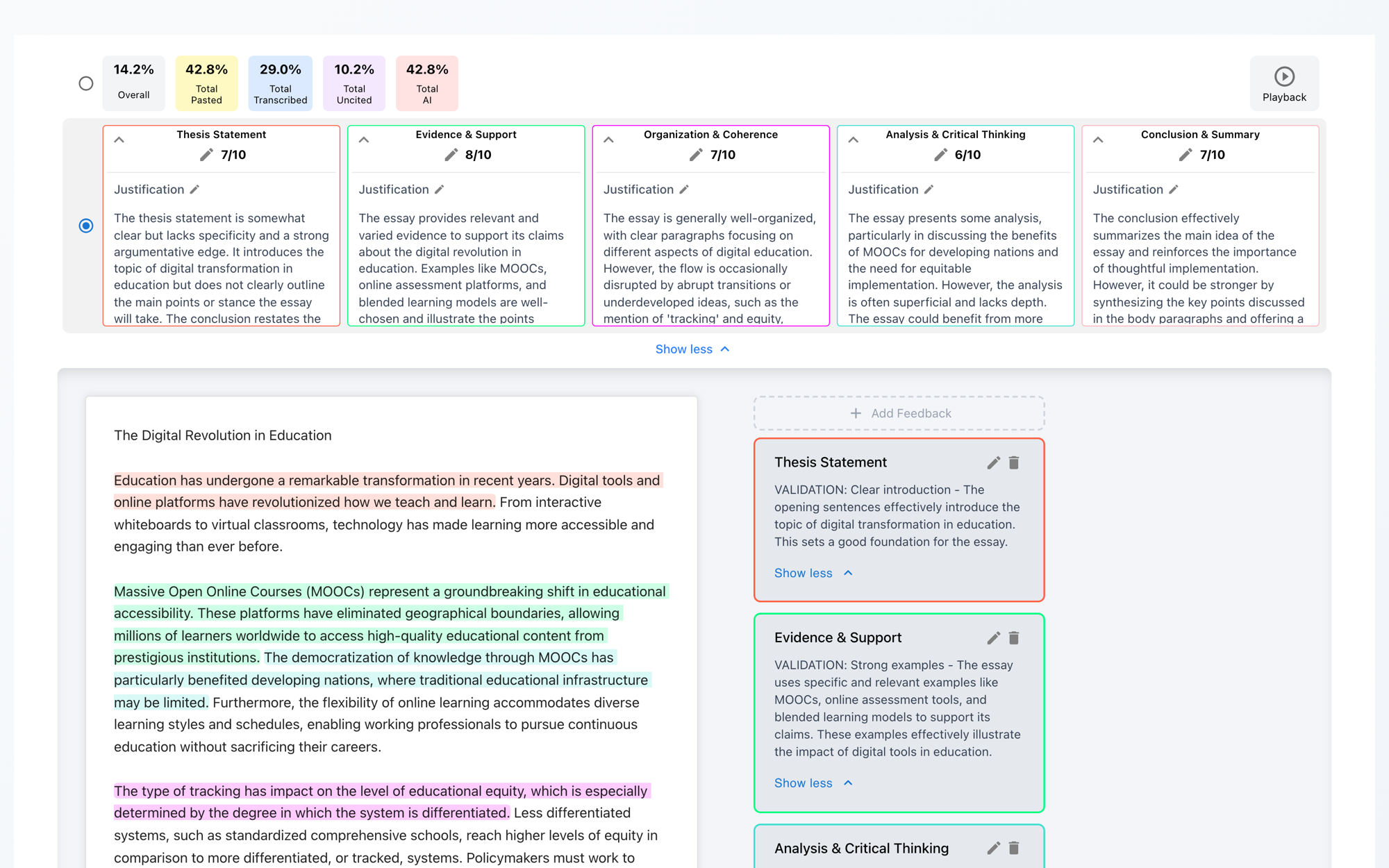
Scores per criterion
Each rubric category gets its own score out of its own point value - Thesis 7/10, Evidence 8/10 - not one opaque total.
Written justifications
Every score comes with a paragraph explaining why, tied to what the student actually wrote. Edit it inline if you'd put it differently.
Quote-anchored feedback
Feedback items highlight the exact sentences they refer to. Add your own by selecting text in the essay and clicking Add Feedback.
Your rubric, however you have it
The autograder grades against your criteria - there's no house rubric you have to adopt.
Build it in the app
A rubric builder with criteria, rating levels, and live point totals - the same shape Canvas rubrics use.
Upload what you have
Drop in an existing rubric as a document or even a photo - Checkmark normalizes it into gradable criteria.
Reuse from your library
Save rubrics once and attach them across courses and assignments; duplicate and archive as terms roll over.
Using Canvas, Buzz, or Google Classroom? Rubrics attached to the assignment sync in automatically with it.
Teacher-in-the-loop, end to end
Attach a rubric to the assignment
Build, upload, pick from your library - or let it sync from your LMS assignment.
Grades draft themselves as work arrives
Each submission is scored per criterion with a written justification, alongside its plagiarism, AI, and writing-process results.
Review and edit anything
Adjust scores with a click, rewrite justifications, add or remove feedback. Students see nothing until you say so.
Publish - straight into your gradebook
Push to Canvas, push to Buzz, sync to Google Classroom, or publish in Checkmark. Bulk-publish a whole assignment when you're done.

Published means published by you. Autograder output is a draft until a teacher publishes it. What students see is the snapshot you approved - with the scores and feedback exactly as you left them.
Grade an essay against a real rubric
The demo ships with a sample rubric so you can see the scores and justifications it writes - create a free account to grade with your own.