
Defining what counts as "acceptable" AI use is one of the most critical challenges in modern education: the line between helpful technological assistance and academic dishonesty depends entirely on cognitive ownership.
When a student uses an AI tool like ChatGPT to explain a confusing physics concept, suggest study schedules, or check spelling, technology acts as an empowering tutor. However, when AI is used to compose sentences, generate arguments, or rewrite stolen text, it replaces the student's cognitive labor and violates academic integrity.
Below is a clear, student-friendly taxonomy that categorizes AI applications into distinct zones: Green (Acceptable), Yellow (Conditionally Acceptable with Disclosure), and Red (Unacceptable / Misconduct).
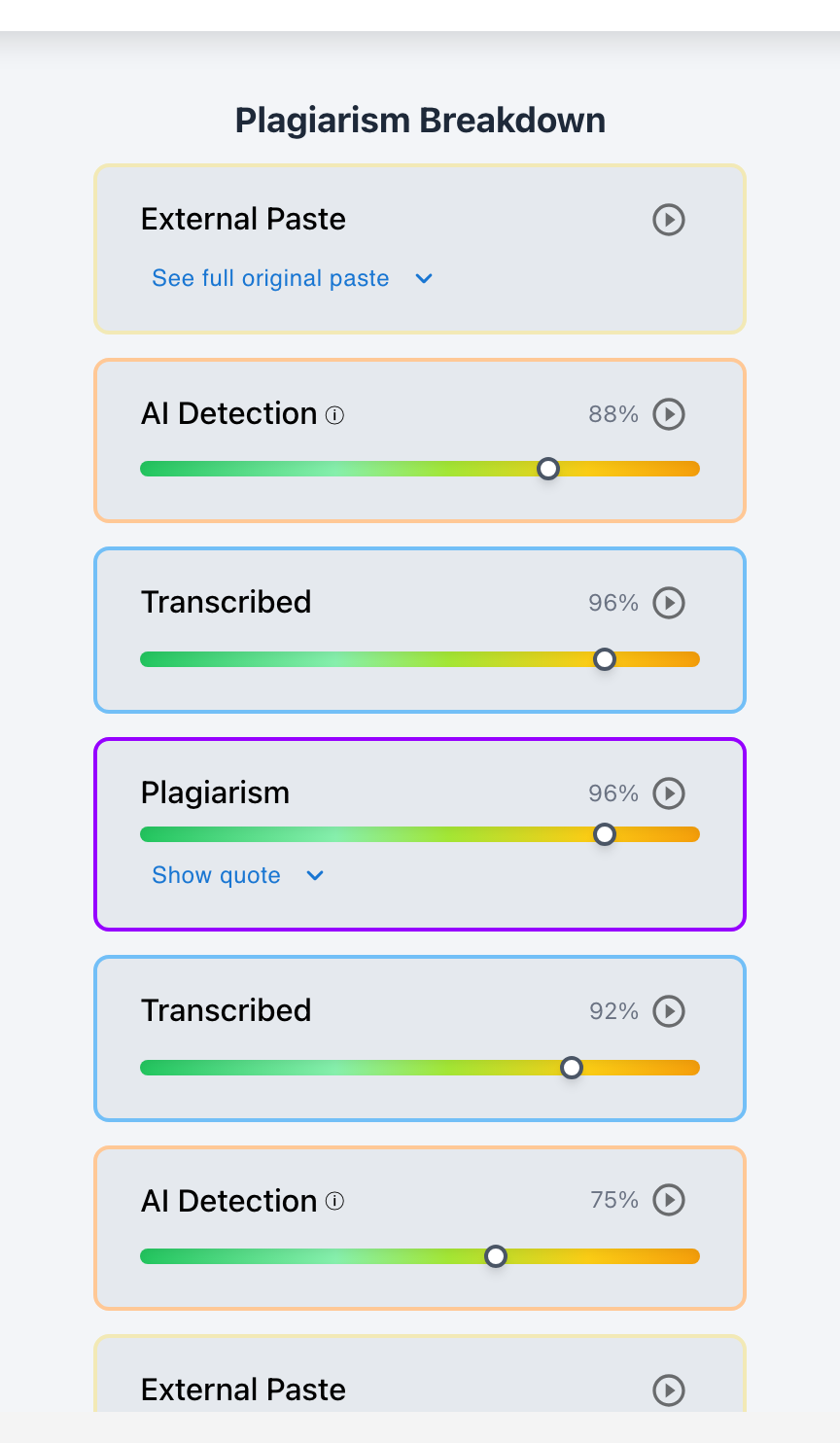
Checkmark Plagiarism helps enforce these boundaries by combining essay writing playback with AI detection, plagiarism detection, autograding, and integrations with Canvas and Google Classroom.
The 3 Zones of Academic AI Use
Green Zone: Acceptable
- Spellcheck & basic grammar tools.
- Explaining difficult reading concepts.
- Brainstorming broad study topics.
- Formulating search queries.
Yellow Zone: Disclosure Required
- Generating essay outline ideas.
- Critiquing a student's own draft.
- Debugging student-written code.
- Synthesizing study flashcards.
Red Zone: Academic Misconduct
- Generating sentences or paragraphs.
- Paraphrasing external text to hide theft.
- Fabricating academic citations.
- Using AI during proctored exams.
The Core Principle: Cognitive Ownership
To help students determine whether an AI use is acceptable, teach them the Rule of Cognitive Ownership:
"If an AI tool helps you understand a concept so you can write your own words, it is a study aid. If an AI tool writes the words or formulates the analysis for you, it is an academic integrity violation."
How Essay Writing Playback Enforces Acceptable Boundaries
While policies establish rules, Checkmark Plagiarism's essay writing playback provides transparent physical verification:
- Confirming Green-Zone Activity: Playback shows the student typing their own sentences keystroke-by-keystroke over multiple hours, confirming that AI was not used for text generation.
- Flagging Red-Zone Violations: Playback instantly highlights wholesale paste events where 1,200 words of AI-generated text appeared in the document in one second.
Read more in how Checkmark writing process analysis works.
Side-by-Side Comparison: Acceptable vs. Unacceptable Use Cases
Acceptable AI Assistance (Green/Yellow)
- Asking ChatGPT: "Explain the difference between mitosis and meiosis with an analogy."
- Pasting your own draft into AI and asking: "Which of my arguments is the weakest?"
- Using Grammarly to highlight a misspelled word or missing comma.
Unacceptable AI Cheating (Red Zone)
- Asking ChatGPT: "Write an essay comparing mitosis and meiosis."
- Pasting an article into QuillBot to rewrite it and submitting it as your own.
- Using AI to generate fake APA citations for your bibliography.
A 5-Point AI Checklist for Students
Student Self-Check Checklist Before Submitting:
- 1. Did I compose every sentence in this assignment myself?
- 2. Are all cited sources verified and real?
- 3. If I used AI for brainstorming, did I disclose it in an appendix?
- 4. Does my writing playback history show active typing rather than copy-paste?
- 5. Can I comfortably explain every argument and word in this paper orally?
How Checkmark Plagiarism Keeps AI Use Transparent
Checkmark Plagiarism combines **AI detection, essay writing playback, static AI detection, plagiarism detection, autograding, and Canvas/Google Classroom integrations** to make acceptable AI boundaries clear, transparent, and verifiable across every assignment.
Frequently Asked Questions
Is using ChatGPT as a tutor acceptable?
Yes. Asking ChatGPT to explain difficult concepts, summarize complex readings, or create practice quizzes is an effective and acceptable study method.
Is using AI for grammar checking considered cheating?
Basic grammar checks that highlight errors are acceptable. However, using generative AI to rewrite entire sentences or enhance vocabulary crosses into unacceptable assistance.
Can students use AI to brainstorm ideas?
Brainstorming is generally acceptable in the Yellow Zone, provided students draft the actual essay sentences themselves and disclose AI brainstorming if required.
What makes an AI use unacceptable?
When AI generates sentences, analysis, arguments, or citations that the student submits under their own name without doing the cognitive work.
How does writing playback prove acceptable AI use?
Playback logs show active keystrokes, typing pauses, and revisions, proving the student authored the text rather than pasting AI output.
Should students always disclose when they use AI?
Yes. Whenever AI is used beyond basic spellcheck, disclosing the tool and prompt in an appendix demonstrates academic honesty.
Can English Language Learners (ELL) use AI for translation?
Using AI translation to understand assignment prompts or course readings is acceptable; submitting AI-translated English essays without teacher permission is usually restricted.
What if a teacher does not specify an AI policy?
Default to the Green Zone: do not use AI to write sentences or outline papers without explicit instructor confirmation.
How does Checkmark Plagiarism integrate with LMS platforms?
Checkmark Plagiarism embeds dual AI/plagiarism reports and visual writing playback directly inside Canvas and Google Classroom.
Why is teaching acceptable AI use important?
It equips students to use modern technology ethically, responsibly, and effectively in higher education and future careers.
Empower Students with Clear Ethical Boundaries
Establishing what counts as acceptable AI use transforms artificial intelligence from a threat into an educational tool. By grounding policies in cognitive ownership and verifying drafting with essay writing playback, educators foster honest, confident, and capable writers.
Checkmark Plagiarism supports this principled standard with AI detection, essay writing playback, static AI detection, plagiarism detection, autograding, and integrations with Canvas and Google Classroom.
See how Checkmark pairs essay writing playback with multi-signal detection to maintain clear, verifiable AI boundaries in your classroom. View a sample report or request a demonstration.