
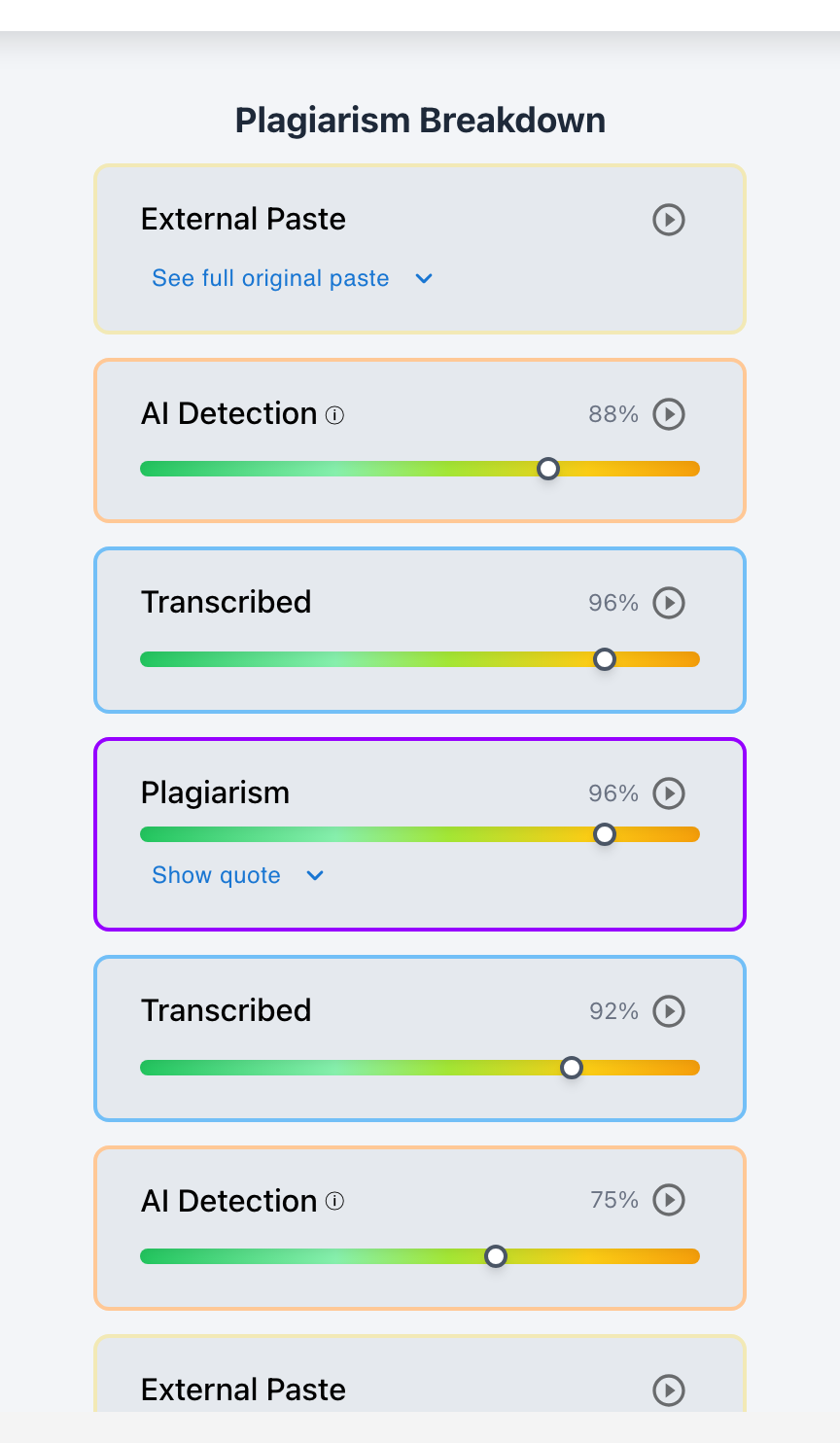
Teachers can learn four vital pedagogical and forensic insights from Google Docs version history: 1) Drafting Time Distribution (whether work was paced across multiple days or completed in a single hurried session); 2) Revision Depth (whether the student restructured arguments, deleted rough drafts, and refined sentences); 3) Contributor Attribution (which specific Google accounts authored each sentence); and 4) Paste Payload Anomalies (large blocks of text inserted all at once without pre-writing).
Google Docs version history is far more than a tool for catching academic dishonesty—it is a window into a student's cognitive writing journey. By analyzing how a draft evolved over time, educators can identify where students encountered research blocks, how effectively they applied teacher feedback, and whether they possess authentic revision strategies. However, interpreting native version snapshots requires a trained eye to separate genuine struggle from external copy-paste shortcuts. Checkmark Plagiarism transforms raw version history into actionable writing process analytics directly inside Google Classroom.
Below is a comprehensive guide on the pedagogical and investigative insights available in Google Docs version history.
Checkmark Plagiarism enhances version history analysis by pairing essay writing playback with AI detection, plagiarism detection, autograding, and integrations with Google Classroom and Canvas.
The 4 Core Insights in Google Docs Version History
1. Drafting Time Distribution
Version history reveals whether the student engaged in healthy multi-day writing habits (e.g., 4 sessions over 10 days) or submitted a last-minute rush paper written at 2:00 AM.
2. Cognitive Revision Depth
Authentic student writing exhibits active deletions, sentence re-ordering, and vocabulary swaps; a lack of revisions suggests pre-written or AI-generated text.
3. Multi-User Collaboration Tracking
Google Docs color-codes every edit by account, allowing teachers to see whether group members contributed equally or if an unauthorized outside account edited the paper.
4. Paste Payload Detection
A snapshot that adds 1,200 words in under 2 minutes without prior outline notes highlights an external text payload copied from AI or a web source.
What Authentic vs. Suspicious Version History Looks Like
Understanding the visual signatures in Google Docs revision panels:
- The Authentic Writer: Snapshot 1 (Outline & Topic Notes) → Snapshot 2 (Rough Introduction & Paragraph 1) → Snapshot 3 (Major deletions, thesis rewritten) → Snapshot 4 (Full draft completed) → Snapshot 5 (Proofreading & citation formatting).
- The AI / Copy-Paste Submission: Snapshot 1 (Blank document created) → Snapshot 2 (Entire 1,500-word finished essay appears with perfect formatting in 3 minutes) → No further revisions recorded.
Read more in how Checkmark writing process analysis works.
Comparison: Native Version History vs. Checkmark Process Telemetry
Checkmark Process Telemetry (Actionable & Automated)
- Automated Active Typing Time calculation (filters idle time).
- 15-second video time-lapse of document creation.
- Explicit character-level paste event flags.
- Integrated autograding feedback on revision quality.
Native Google Docs History (Manual & Time-Intensive)
- Requires clicking through dozens of snapshot timestamps.
- Cannot distinguish active writing from open idle tabs.
- No automated calculation of revision percentage.
- Does not integrate directly with LMS gradebooks.
A 5-Step Educator Protocol for Version History Analysis
Version History Review Checklist:
- 1. Open the student's submission in Google Classroom or Canvas SpeedGrader.
- 2. Review the session count: confirm whether the essay was written across at least 2 separate writing sessions.
- 3. Inspect the total character additions per session: look for balanced, incremental text growth.
- 4. Check the contributor list: verify that only the student's institutional Google account made edits.
- 5. Launch Checkmark Writing Playback to verify that edits were typed rather than pasted.
How Checkmark Plagiarism Powers Version Analysis
Checkmark Plagiarism combines **AI detection, essay writing playback, static AI detection, plagiarism detection, autograding, and Canvas/Google Classroom integrations** to automatically summarize revision history into clear, formative writing metrics.
Frequently Asked Questions
Can teachers see how many times a student revised a Google Doc?
Yes. By opening version history, teachers can view the list of timestamps showing every autosaved snapshot recorded by Google Docs.
What does a zero-revision essay mean?
An essay with zero revisions (written in a single snapshot without backspaces or deletions) strongly indicates that the text was copied from an external source or generated by AI.
Can teachers tell if a parent edited the Google Doc?
If the parent edited while logged into a personal Google account, their name and color appear in version history. If edited on the student's account, Checkmark flags the sudden stylometric shift.
How does writing playback enhance Google Docs version history?
Writing playback turns static snapshot lists into a continuous, 15-second video replay showing every keystroke, pause, and paste event in real time.
How does Checkmark Plagiarism integrate with Google Classroom?
Checkmark integrates directly via Google Workspace LTI, enabling one-click writing playback and AI screening inside the Google Classroom grading view.
Can students manipulate version history by typing slowly?
Students copying from another screen produce flat, mechanical typing without pauses or revisions; Checkmark's Keystroke Velocity Classifier detects this transcription pattern.
How can teachers use version history formatively?
Praise students who demonstrate substantial revision between drafts, rewarding the cognitive labor of restructuring arguments and refining voice.
What is the difference between active time and document age?
Document age is the total time since creation (e.g., 5 days), while active time is the actual minutes spent typing at the keyboard (e.g., 3.2 hours).
How does Checkmark Autograder evaluate revision depth?
Checkmark Autograder benchmarks draft progression against rubric criteria, awarding formative points for authentic student self-editing.
Why is understanding writing process data essential for modern educators?
Because assessing the writing process ensures that grades reflect genuine learning, critical thinking, and intellectual growth rather than mere final output.
Evaluating the Entire Arc of Student Thought
True writing education occurs during the process of drafting and revision. By extracting deep pedagogical insights from Google Docs version history with Checkmark Plagiarism, educators celebrate student effort, coach effective writing habits, and uphold rigorous academic standards.
Checkmark Plagiarism supports this comprehensive approach with AI detection, essay writing playback, static AI detection, plagiarism detection, autograding, and integrations with Google Classroom and Canvas.
See how Checkmark turns Google Docs version history into actionable writing playback analytics. View a sample report or request a demonstration.