
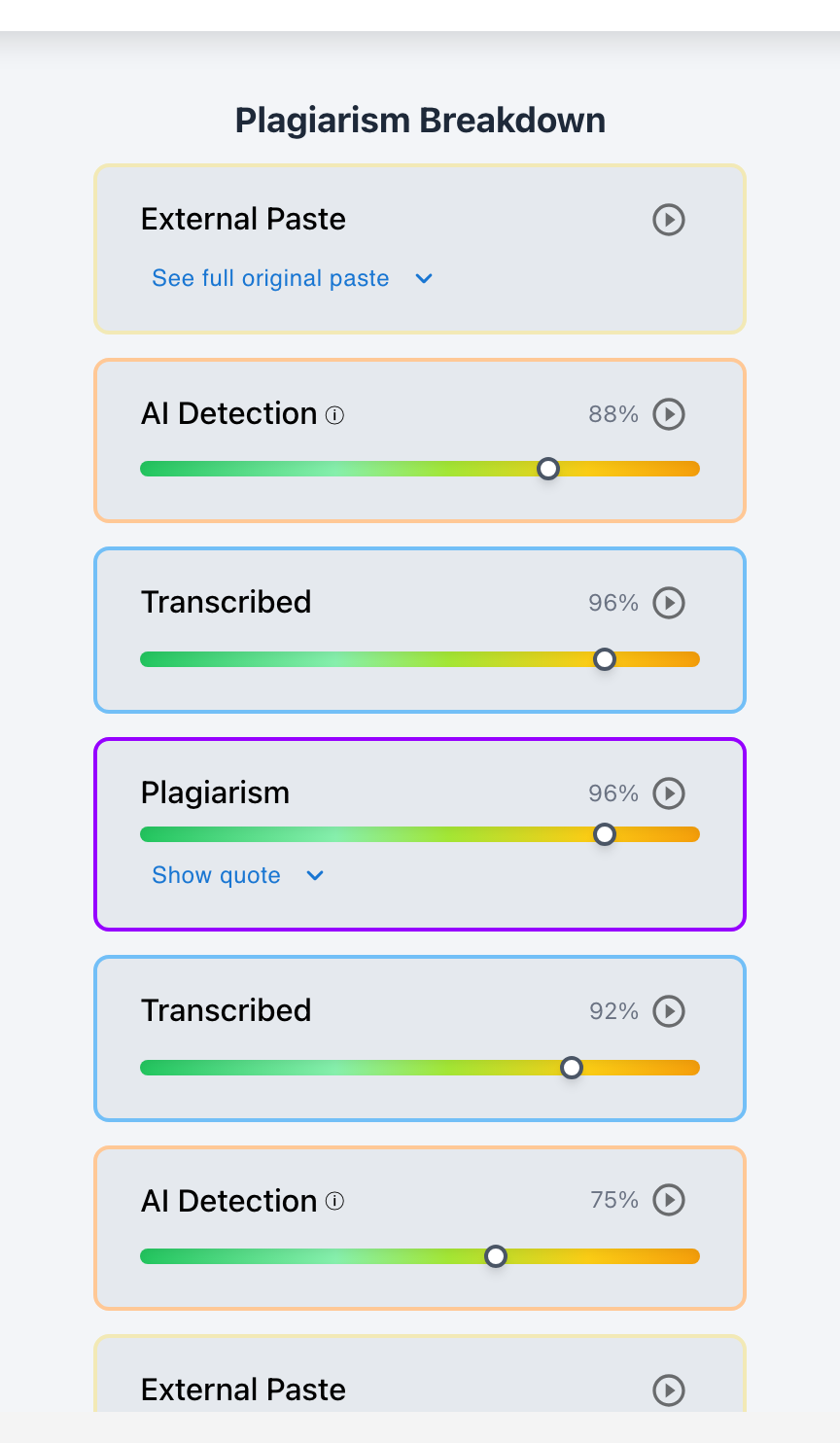
Keystroke history provides an objective, behavioral audit trail of how an assignment was composed—revealing active drafting hours, revision depth, cognitive pauses, typing velocity, and paste events.
While a final submitted essay only shows the destination, keystroke history illuminates the entire intellectual journey. By analyzing the physical sequence of typing, deleting, pausing, and restructuring, educators gain invaluable insights into both pedagogical growth (identifying where a student struggled to find words or organize arguments) and academic integrity (distinguishing authentic composition from automated copy-paste shortcuts).
Through Checkmark Plagiarism's Keystroke Analytics, raw keystroke streams are transformed into intuitive visual dashboards inside Canvas SpeedGrader and Google Classroom.
Checkmark Plagiarism powers keystroke analysis by pairing essay writing playback with AI detection, plagiarism detection, autograding, and integrations with Canvas and Google Classroom.
The 5 Core Dimensions of Keystroke History
1. Active Drafting Duration
Calculates exact time spent with hands on keyboard, filtering out hours where the document tab was left open and idle in the background.
2. Revision & Backspace Depth
Measures the percentage of text deleted and rewritten (typically 15–30% in authentic writing), proving thoughtful self-editing.
3. Cognitive Pause Distribution
Maps where the student paused for 20–60 seconds at paragraph breaks, identifying moments of critical thinking and evidence selection.
4. Paste-to-Keystroke Ratio
Calculates what percentage of the document was manually typed vs. inserted via clipboard paste, flagging wholesale insertions.
5. Typing Velocity Fluctuations (Burstiness)
Authentic human typing speed is not flat: it accelerates during easy phrases (60 WPM) and slows down when formulating complex technical concepts (25 WPM). In contrast, robotic transcription from another screen produces a flat, metronomic typing line.
Read more in how Checkmark writing process analysis works.
Pedagogical Uses: Coaching Student Writers
Keystroke history is not just an anti-cheating tool; it is a powerful coaching instrument for educators:
- Spotting Hesitation Points: If a student pauses for 10 minutes at the thesis statement, the teacher can offer targeted support on thesis formulation.
- Rewarding True Revision: Teachers can reward students whose keystroke logs show substantive paragraph restructuring rather than superficial proofreading.
- Diagnosing Writing Anxiety: Identifying students who write in frantic midnight bursts allows early intervention on time management and scaffolding.
Comparison: What Keystroke History Shows
Authentic Student Keystroke Profile
- Active drafting time: 3.5 hours across 4 sessions.
- Backspace/edit rate: 24% (heavy self-editing).
- Frequent thinking pauses (30–90 seconds).
- 92% keystroke composition / 8% cited quotes.
Synthetic / Shortcut Keystroke Profile
- Active drafting time: 4 minutes total.
- Backspace/edit rate: <1% (zero self-editing).
- Zero cognitive formulation pauses.
- 100% paste composition (or linear transcription).
A 5-Step Protocol for Teachers Reviewing Keystroke Data
Educator Keystroke Data Protocol:
- 1. Open the Checkmark Playback summary in Canvas SpeedGrader or Google Classroom.
- 2. Check active typing hours: verify it matches the expected scope of the paper.
- 3. Inspect the backspace rate: healthy human drafting shows 15–30% edits.
- 4. Review flagged paste events to ensure they correspond to cited sources.
- 5. Use the data to praise strong revision habits or support struggling writers.
How Checkmark Plagiarism Powers Keystroke History
Checkmark Plagiarism combines **AI detection, essay writing playback, static AI detection, plagiarism detection, autograding, and Canvas/Google Classroom integrations** to make keystroke analytics intuitive, visual, and immediately actionable directly within your LMS.
Frequently Asked Questions
Does keystroke history track individual letters I type?
Yes. It records keypress timing, text insertions, deletions, and edits inside the assignment document, but does not track passwords or external browsing.
Can teachers see how many times I used the backspace key?
Yes. Checkmark tracks deletion and backspace frequencies, calculating an overall revision depth score for each student.
Why is a high backspace rate considered positive?
Because authentic writers constantly rethink words, fix typos, and restructure clauses. A high backspace rate is a hallmark of genuine critical thinking.
Can keystroke history detect AI-generated text?
Yes. AI text either appears as an instantaneous paste event or as an unnatural linear transcription with near-zero backspacing.
What if I write my essay offline in Microsoft Word?
Provide your original Word file with version metadata to verify your offline drafting hours and authentic revision history.
How does keystroke history protect honest students?
If an honest student is falsely accused by an AI detector, their multi-hour keystroke log and high backspace rate prove authentic authorship.
Can students fake realistic keystroke history?
Simulating hours of realistic pauses, typos, deletions, and sentence rewrites takes longer than actually writing the paper honestly.
How does Checkmark Plagiarism integrate with Canvas LMS?
Checkmark Plagiarism displays visual writing playback timelines, keystroke velocity graphs, and paste ratios directly inside Canvas SpeedGrader.
Does keystroke tracking invade student privacy?
No. Tracking is strictly confined to the specific assignment document in the LMS and does not monitor webcams, browser tabs, or external apps.
How can teachers use keystroke history to improve grading?
Teachers can reward the writing process, diagnose student struggles, and verify authentic scholarship without administrative overhead.
The Writing Process Is the Ultimate Evidence
Keystroke history reveals the effort, discipline, and intellectual struggle that goes into authentic writing. By celebrating the creation process and verifying drafting with Checkmark Plagiarism, educators uphold academic rigor while inspiring real student growth.
Checkmark Plagiarism supports this comprehensive approach with AI detection, essay writing playback, static AI detection, plagiarism detection, autograding, and integrations with Canvas and Google Classroom.
See how Checkmark pairs essay writing playback with multi-signal detection to transform keystroke history into actionable insights inside your LMS. View a sample report or request a demonstration.