
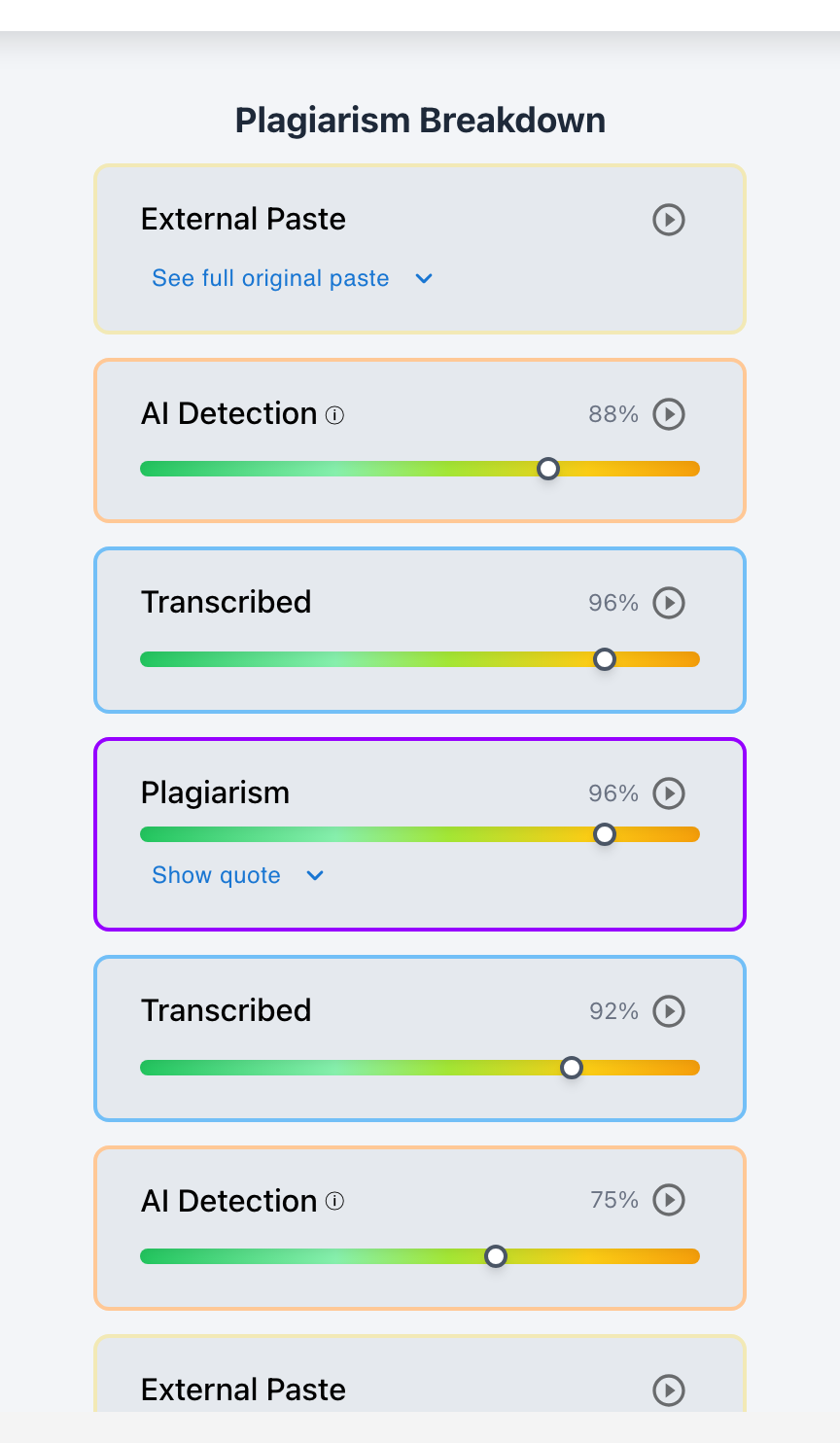
To check Google Classroom assignments for plagiarism, connect your Google Classroom courses to Checkmark Plagiarism—enabling automated, unlimited scanning across 90+ billion web pages, academic archives, and institutional repositories with side-by-side source matching and keystroke writing playback.
While Google Classroom includes a basic "Originality Reports" feature, free tiers are capped at only 5 assignment scans per course, exclude private student-to-student repository matching, and provide zero insight into whether text was typed or pasted. In contrast, Checkmark Plagiarism integrates seamlessly with Google Classroom, providing unlimited scans, multi-database matching, AI detection, and 15-second essay playback replays in a unified dashboard.
Below is a step-by-step tutorial on checking Google Classroom submissions for plagiarism and interpreting similarity reports.
Checkmark Plagiarism powers Google Classroom integrity by pairing plagiarism detection with essay writing playback, AI detection, autograding, and native Google Classroom integration.
The 4 Steps to Check Google Classroom Essays for Plagiarism
Step 1: One-Click Google Classroom Sync
Sign in to Checkmark using Google Single Sign-On (SSO) and select your course to automatically import student rosters and assignments.
Step 2: Automated Multi-Database Scan
Checkmark scans submitted Google Docs across 90+ billion live/archived web pages, scholarly journals, and your school's private student repository.
Step 3: Side-by-Side Source Inspection
Review highlighted matching passages alongside the original source URL, journal DOI, or matching classmate submission in interactive Source Evidence Cards.
Step 4: Sync Grades & Comments Back
Authorize finalized grades, similarity notes, and rubric feedback to sync directly back into the Google Classroom assignment stream with 1 click.
Why Checkmark Outperforms Native Google Originality Reports
Connecting Checkmark Plagiarism to Google Classroom overcomes the strict limitations of native tools:
- Unlimited Assignments: Free Google Originality Reports cap teachers at 5 assignments per course. Checkmark provides unlimited scans for all classes and terms.
- Institutional Peer Matching: Checkmark indexes past student submissions from your entire school, catching students who copy essays from older siblings or friends in other periods.
- Integrated Keystroke Playback: Checkmark proves whether matched text was typed word-by-word or inserted via a 1-second clipboard paste.
Read more in how Checkmark writing process analysis works.
Comparison: Google Originality Reports vs. Checkmark Plagiarism for Google Classroom
Native Google Originality Reports (Limited)
- Capped at 5 assignments per course (free tier).
- No student-to-student cross-section matching.
- No automated AI detection or paragraph heatmaps.
- No keystroke writing playback or paste tracking.
Checkmark Plagiarism for Google Classroom (Full)
- Unlimited scans across all courses and assignments.
- Multi-section private student repository matching.
- Simultaneous AI detection and paragraph heatmaps.
- 15-second video writing playback replays.
A 5-Step Educator Protocol for Google Classroom Plagiarism Audits
Google Classroom Plagiarism Workflow:
- 1. Open Checkmark Plagiarism and select your synced Google Classroom course.
- 2. Review the class dashboard to identify essays with elevated similarity percentages.
- 3. Open individual student reports to inspect highlighted passages and source cards.
- 4. Check Essay Playback to confirm whether the matched text was typed or pasted.
- 5. Sync approved grades and formative citation feedback back to Google Classroom.
How Checkmark Plagiarism Powers Google Classroom Integrity
Checkmark Plagiarism combines **AI detection, essay writing playback, static AI detection, plagiarism detection, autograding, and Canvas/Google Classroom integrations** to turn Google Classroom into a comprehensive, evidence-based academic integrity hub.
Frequently Asked Questions
How do I check a Google Classroom assignment for plagiarism?
Connect your Google Classroom course to Checkmark Plagiarism using Google SSO. Checkmark automatically imports and scans all submitted Google Docs.
Is Checkmark Plagiarism free for Google Classroom teachers?
Checkmark offers pilot programs and affordable school-wide licenses with unlimited plagiarism scanning, AI detection, and writing playback.
Can Checkmark detect copying between two students in Google Classroom?
Yes. Checkmark indexes submissions into your school's private institutional database, detecting student-to-student copying across classes and semesters.
How does writing playback help in plagiarism investigations?
Playback shows whether a matched passage was typed out by hand (with revisions) or inserted via an external clipboard paste event.
Can students see their plagiarism report in Google Classroom?
Teachers can choose whether to share reports with students via Google Classroom or keep them strictly teacher-facing.
How does Checkmark Plagiarism integrate with Google Classroom?
Checkmark provides 1-click Google SSO, automated assignment roster syncing, Google Drive file ingestion, and two-way grade passback.
What databases does Checkmark scan?
Checkmark scans over 90 billion live and archived web pages, scholarly journal databases, and your school's private repository of student essays.
Can Checkmark check for AI and plagiarism at the same time?
Yes. Checkmark runs simultaneous AI detection, plagiarism database matching, writing playback, and autograding on Google Docs submissions.
Is student Google Docs data secure and FERPA compliant?
Yes. Checkmark adheres to strict enterprise encryption standards and FERPA regulations, ensuring student writing is never shared or sold.
Why is Checkmark better than Google Originality Reports?
Because Checkmark provides unlimited scans, private student repository matching, neural AI detection, and keystroke writing playback in a single view.
Comprehensive Integrity for Google Classroom Educators
Checking student writing should be fast, unlimited, and multi-signal. By pairing Google Classroom with Checkmark Plagiarism, teachers gain the source evidence, AI detection, and keystroke playback needed to evaluate student scholarship with complete confidence.
Checkmark Plagiarism supports this comprehensive approach with AI detection, essay writing playback, static AI detection, plagiarism detection, autograding, and integrations with Canvas and Google Classroom.
See how Checkmark pairs Google Classroom plagiarism detection with multi-signal playback to verify student writing inside your LMS. View a sample report or request a demonstration.