
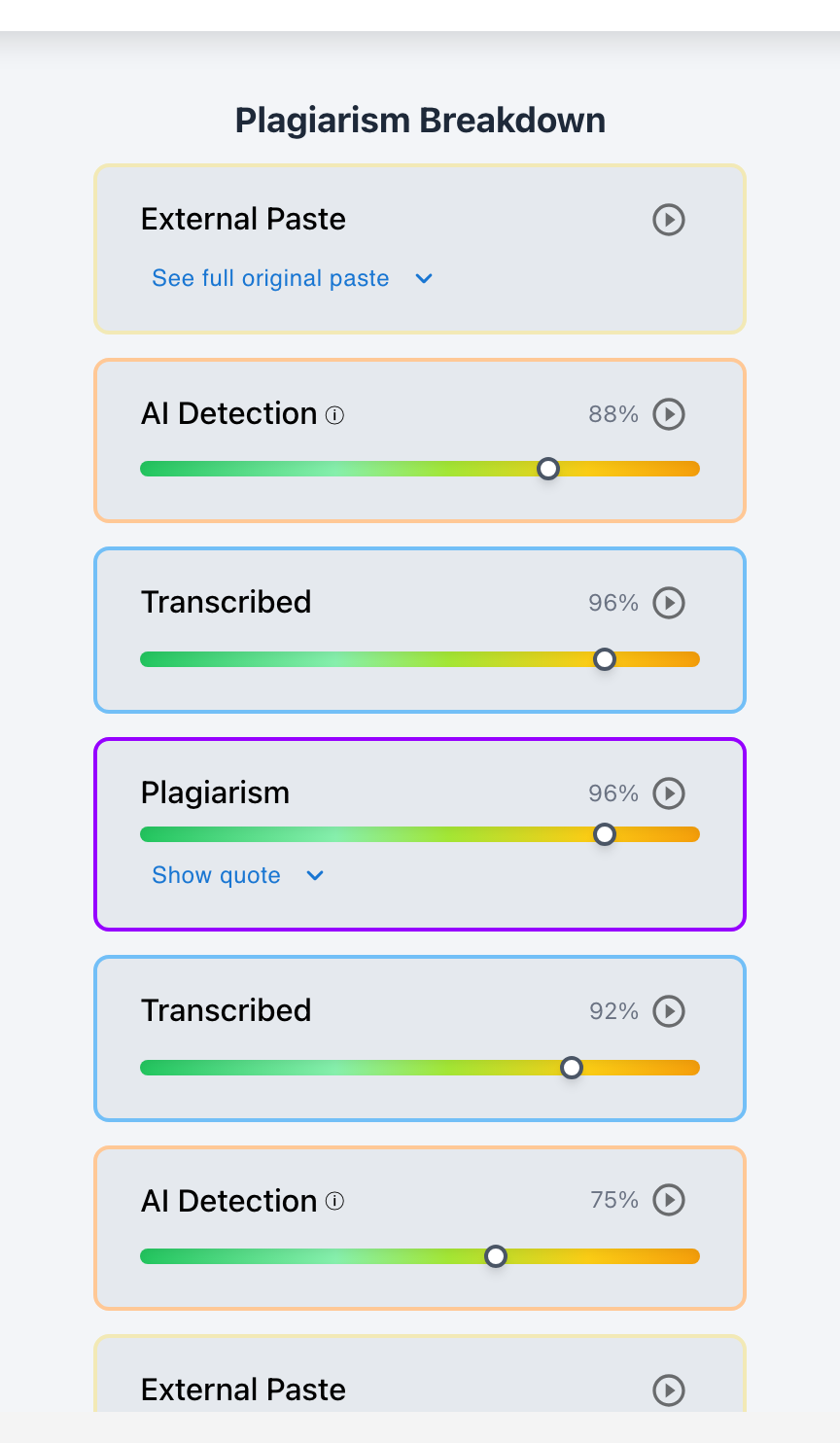
Yes. Teachers can easily tell if a student is copying text from another device (such as a second monitor, iPad, phone, or a friend's laptop) by analyzing keystroke telemetry in Checkmark Playback—which exposes the distinct chunked typing cadence of visual transcription, near-zero backspace rates, and the absence of cognitive drafting pauses.
When students realize that learning management systems detect digital copy-pasting, many attempt a physical workaround: placing a second device alongside their keyboard and retyping text word-for-word. Whether the source is a ChatGPT response on an iPhone, a peer's Google Doc on an iPad, or a published article on a second desktop monitor, copying from a secondary screen creates an unnatural physical rhythm that contrasts sharply with the messy, iterative nature of authentic human composition.
Below is a comprehensive guide on how teachers detect cross-device copying using Checkmark Plagiarism.
Checkmark Plagiarism exposes cross-device transcription by pairing essay writing playback with AI detection, plagiarism detection, autograding, and integrations with Canvas and Google Classroom.
The 4 Physical Signatures of Cross-Device Copying
1. Chunked Visual Saccade Bursts
Keystroke telemetry records rapid 5- to 8-word bursts (matching human visual short-term memory) separated by uniform 1.2- to 2.0-second glance pauses.
2. Near-Zero Backspace Baseline (<2%)
Because the student is transcribing finalized sentences, they never delete clauses, restructure thesis points, or struggle to find the right word.
3. Lack of Cognitive Planning Pauses
Transitions between paragraphs happen in under 2 seconds—impossible for an authentic writer who must plan thesis shifts and evidence integration.
4. High Linguistic AI or Plagiarism Matches
Typing text manually does not alter the words: AI classifiers and web plagiarism databases still trigger high similarity scores on the submitted text.
Why Multi-Device Copying Leaves an Immutable Trail
Understanding the biomechanics of visual transcription:
- The Short-Term Memory Span: A human looking at a secondary screen can hold about 5 to 7 words in working memory before needing to glance back. This creates a rhythmic, pulsating keystroke curve completely unlike authentic writing.
- The Speed Paradox: Transcribing an essay takes only 15 to 25 minutes for 1,200 words. Composing an original 1,200-word essay requires 2.5 to 4.5 active hours.
- The Vocabulary Discrepancy: Transcribed essays frequently contain complex academic terminology that the student cannot define when questioned in person.
Read more in how Checkmark writing process analysis works.
Comparison: Authentic Composition vs. Cross-Device Transcription
Authentic Composition (Real Thinking)
- Speed: variable 35–50 WPM with thinking pauses.
- 18% to 28% backspaces; frequent phrase edits.
- Pauses 45–120 seconds between major sections.
- Active drafting duration: 3.5+ hours for 1,500 words.
Cross-Device Transcription (Copying from Screen)
- Speed: steady 75 WPM in 6-word burst clusters.
- <2% backspaces; zero sentence restructuring.
- Zero planning pauses between paragraphs.
- Active drafting duration: 20 minutes for 1,500 words.
A 5-Step Educator Protocol for Cross-Device Audits
Cross-Device Copying Audit Checklist:
- 1. Open the student's submission in Checkmark Playback inside Canvas SpeedGrader.
- 2. Review the Active Typing Time metric: flag any 1,000+ word paper completed in under 25 minutes.
- 3. Inspect the Deletion Rate: check if backspaces are below 3%.
- 4. Watch the 15-second video replay: look for rhythmic chunked typing bursts without cognitive pauses.
- 5. Hold a 2-minute oral check-in: ask the student to explain how they formulated their arguments.
How Checkmark Plagiarism Powers Multi-Device Forensics
Checkmark Plagiarism combines **AI detection, essay writing playback, static AI detection, plagiarism detection, autograding, and Canvas/Google Classroom integrations** to expose cross-device copying with objective physical evidence.
Frequently Asked Questions
Can teachers tell if a student copied an essay from a second monitor?
Yes. The rhythmic cadence of reading 6 words and typing them continuously with near-zero backspaces creates an unmistakable transcription footprint in Essay Playback.
Does copying from an iPad or phone avoid paste detection?
It avoids clipboard paste logs, but keystroke cadence analysis and linguistic AI detection still expose the copied text.
What does cross-device copying look like in Essay Playback?
It appears as steady, continuous linear typing at 70+ WPM with uniform short glance pauses and zero character deletions.
How long does it take to copy a 1,500-word essay from another screen?
A student can retype a 1,500-word essay in 20 to 25 minutes, compared to 3.5+ hours for authentic composition.
What if a student copied an essay from a friend's laptop?
Checkmark's institutional repository will flag the student-to-student plagiarism match, while Essay Playback proves transcription.
How does Checkmark Plagiarism integrate with Canvas LMS?
Checkmark provides certified LTI 1.3 integration, SpeedGrader sidebar embeds, two-way grade passback, and single sign-on (SSO).
Why do students have near-zero backspaces when copying from a screen?
Because they are copying finalized sentences, eliminating the natural self-editing and cognitive struggle of original writing.
Can students fake realistic human writing pauses while copying?
Simulating hours of realistic keystroke speed fluctuations, pauses, and backspaces requires more effort than writing the essay honestly.
What should a teacher say during a conference about cross-device copying?
Ask supportively: "Your typing telemetry shows continuous transcription without edits. Were you typing from another device or draft? Can you share your notes?"
Why is multi-signal evidence essential for cross-device cases?
Because combining linguistic similarity scores with keystroke cadence telemetry creates an unassailable, objective record for student conferences.
Objective Truth for Multi-Device Classrooms
Cross-device workarounds cannot mask the absence of authentic student effort. By analyzing keystroke cadence, revision depth, and linguistic similarity with Checkmark Plagiarism, educators ensure that academic integrity is upheld across every screen and device.
Checkmark Plagiarism supports this comprehensive approach with AI detection, essay writing playback, static AI detection, plagiarism detection, autograding, and integrations with Canvas and Google Classroom.
See how Checkmark pairs keystroke cadence analysis with multi-signal detection to catch cross-device copying. View a sample report or request a demonstration.