
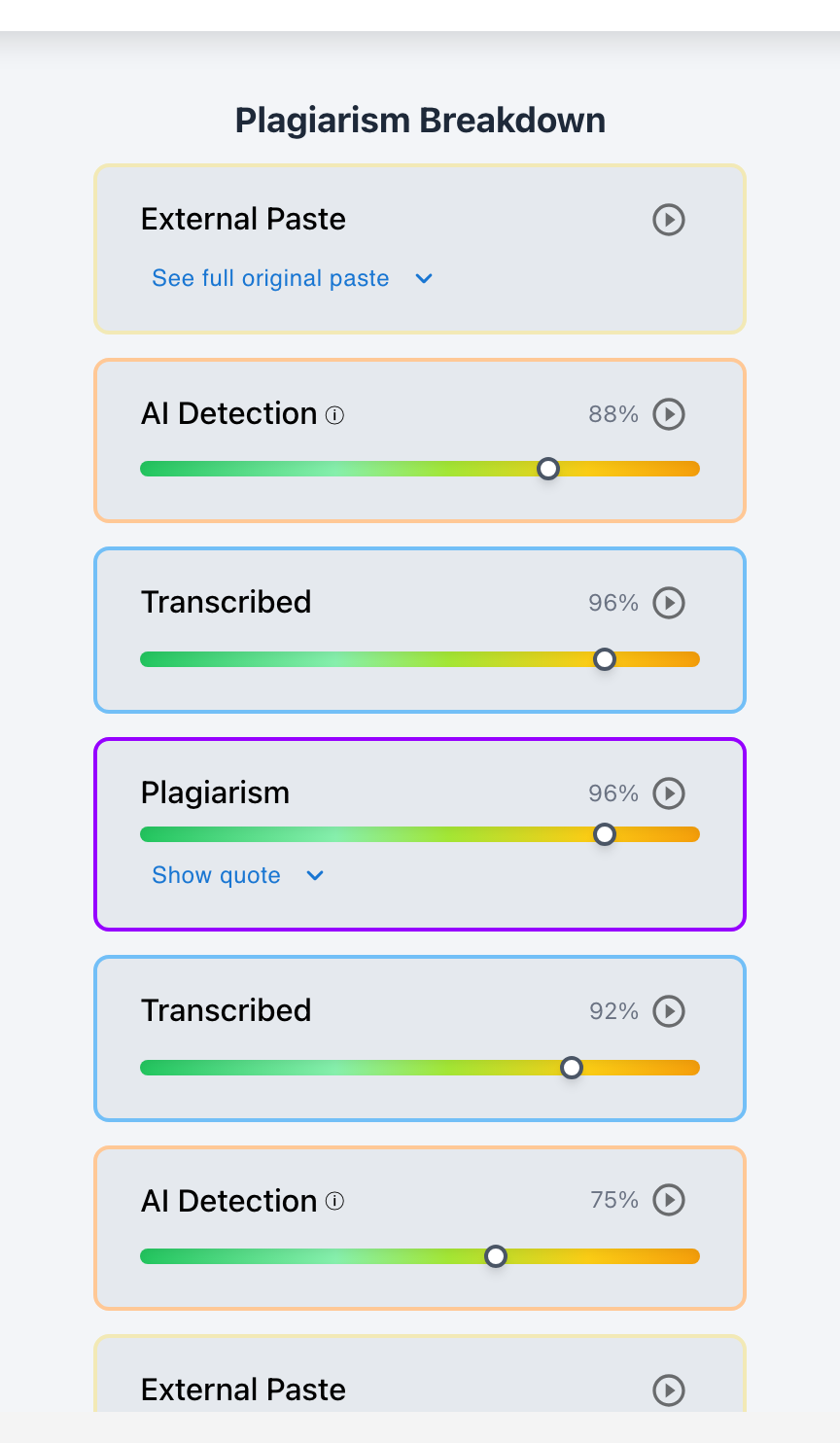
Yes. Teachers with edit or view access can see Google Docs version history (under File > Version History > See Version History); however, native Google Docs only captures coarse, periodic snapshots every few minutes rather than individual keystrokes. While it shows who edited the document and large text additions, it cannot calculate active typing hours or prove whether a sudden burst of text was typed organically or copied from an external device. Checkmark Plagiarism upgrades Google Docs with true, continuous keystroke writing playback.
When investigating suspicious student writing, Google Docs revision history is often an educator's first line of inquiry. Teachers open version history hoping to see a step-by-step recording of the student's thoughts. While Google Docs highlights revisions in color and records major session dates, its periodic autosave intervals leave massive forensic blind spots. A student who pastes a 1,000-word ChatGPT essay during an autosave window can make the text look like normal typing in native history. Understanding what Google Docs version history can and cannot see is vital for fair, evidence-based grading.
Below is a comprehensive guide on the capabilities and limitations of Google Docs editing history.
Checkmark Plagiarism elevates Google Docs analysis by pairing essay writing playback with AI detection, plagiarism detection, autograding, and integrations with Google Classroom and Canvas.
The 4 Capabilities and Limitations of Google Docs Version History
1. Periodic Snapshots vs. Continuous Keystrokes
Native Google Docs: Groups edits into periodic 5-to-15 minute snapshot clusters.
Checkmark Playback: Captures every individual keystroke, backspace, and pause with millisecond precision.
2. Contributor Attribution Tracking
Native Google Docs: Assigns a unique color to each collaborator's Google account.
Checkmark Playback: Measures exact character percentages contributed by each user in real time.
3. Active vs. Idle Time Measurement
Native Google Docs: Cannot measure active typing duration (leaving a tab open looks like hours of writing).
Checkmark Playback: Filters out idle time to report true active typing minutes.
4. Clipboard Paste Event Telemetry
Native Google Docs: Cannot explicitly flag clipboard paste events or duration.
Checkmark Playback: Logs 0.05-second clipboard paste payloads with exact character counts.
How Native Google Docs Snapshotting Works
Understanding the technical mechanics of Google Docs version history:
- Cloud Delta Bundling: Google Docs groups character inputs into "deltas" that sync periodically to save cloud server bandwidth, merging multiple sentences into single timestamped snapshots.
- The "One-Sitting" Illusion: If a student pastes an entire essay at 8:01 PM and makes minor typos until 8:15 PM, Google Docs shows a single green block, making it difficult to distinguish pasting from writing without specialized tools.
- Checkmark Keystroke Integration: Checkmark connects directly via Google Workspace and Google Classroom to provide second-by-second video playback that reveals every paste event instantly.
Read more in how Checkmark writing process analysis works.
Comparison: Native Google Docs Version History vs. Checkmark Keystroke Playback
Checkmark Keystroke Playback (Forensic Engine)
- Replays writing second-by-second in 15-second video.
- Logs exact character counts of clipboard paste events.
- Measures true active typing hours vs. idle time.
- Calculates deletion and backspace ratios (>15%).
Native Google Docs Version History (Basic Snapshots)
- Shows grouped snapshots every 5–15 minutes.
- Cannot confirm if text was typed or pasted.
- Cannot separate active typing from idle tab time.
- Vulnerable to copy-paste evasion techniques.
A 5-Step Educator Protocol for Checking Google Docs History
Google Docs History Audit Checklist:
- 1. Open the student's assignment submission in Google Classroom or Canvas SpeedGrader.
- 2. Launch Checkmark Writing Playback to review the continuous 15-second drafting replay.
- 3. Verify Active Typing Duration: ensure active composition matches essay length (2+ hours).
- 4. Check the Paste Event Log: verify whether text appeared incrementally or in a single paste block.
- 5. If native version history shows only 1 snapshot with 1,500 words, investigate for external AI generation.
How Checkmark Plagiarism Powers Google Docs Forensics
Checkmark Plagiarism combines **AI detection, essay writing playback, static AI detection, plagiarism detection, autograding, and Canvas/Google Classroom integrations** to turn Google Docs into a transparent, forensic writing environment.
Frequently Asked Questions
Can teachers see deleted text in Google Docs?
Yes. By expanding version history and clicking through earlier snapshots, teachers can see crossed-out or deleted text from previous drafts.
Can Google Docs prove a student pasted an entire essay?
Native Google Docs shows a large block of text appearing in a single timestamp, but Checkmark Playback provides exact paste duration logs (e.g., 0.05 seconds).
Can a student delete their Google Docs version history?
No. Students cannot delete version history in an existing document; however, if they copy and paste the text into a brand new document, history starts over at zero.
How does Google Classroom preserve version history upon submission?
When a student clicks "Turn In," Google Classroom transfers file ownership to the teacher, freezing the revision history at the time of submission.
How does Checkmark Plagiarism integrate with Google Classroom?
Checkmark provides seamless single sign-on (SSO), automated roster syncing, and embedded writing playback directly within Google Classroom assignments.
What does normal authentic typing look like in version history?
Authentic writing shows multiple revision sessions spanning hours or days, frequent small text additions, and numerous deletions and restructuring edits.
What does suspicious writing look like in version history?
Suspicious history exhibits a single version snapshot containing the entire 1,500-word essay created in under 5 minutes with zero previous drafts.
Can teachers tell if two students collaborated on a Google Doc?
Yes. Google Docs assigns distinct colors to each collaborator, showing exactly which sentences were written by each Google account.
How does Checkmark calculate active typing time in Google Docs?
Checkmark measures active user keystrokes and pointer interactions, automatically discounting idle pauses where the document was left open.
Why is keystroke playback superior to native version snapshots?
Because keystroke playback provides millisecond-level proof of typing velocity, deletions, and paste payloads, leaving no room for ambiguity.
Complete Visibility into the Student Writing Journey
Google Docs is an indispensable tool for student composition. By pairing Google Docs with Checkmark Plagiarism's continuous keystroke writing playback, educators gain full forensic visibility into the drafting process, celebrating authentic effort and ensuring uncompromising academic integrity.
Checkmark Plagiarism supports this comprehensive approach with AI detection, essay writing playback, static AI detection, plagiarism detection, autograding, and integrations with Google Classroom and Canvas.
See how Checkmark upgrades Google Docs with continuous writing playback and multi-signal AI detection. View a sample report or request a demonstration.