
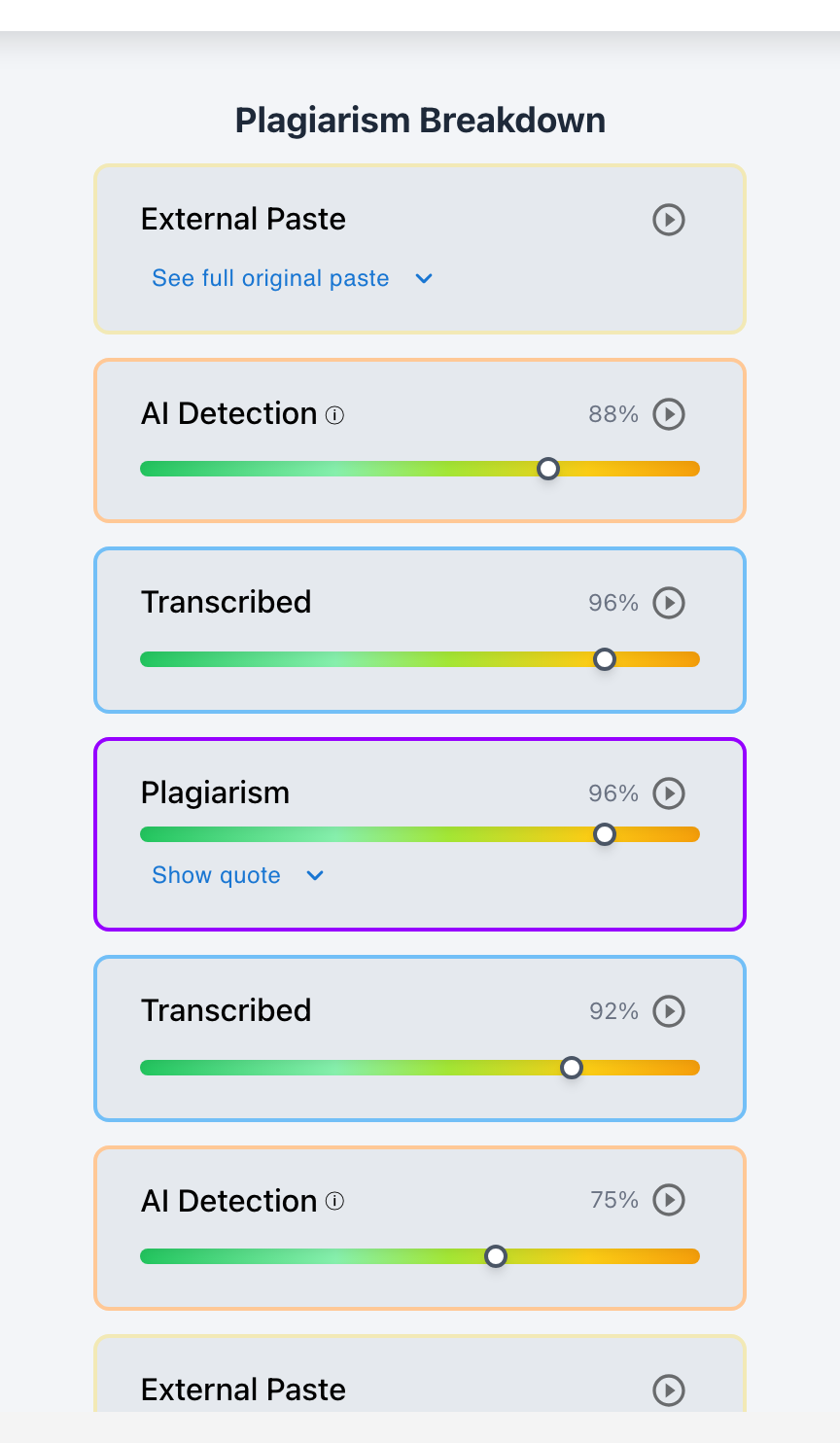
In native Google Docs, teachers cannot see literally every individual keystroke—because Google bundles edits into periodic snapshots saved every few minutes, showing only the net changes between saves. However, with Checkmark Plagiarism integrated into Google Classroom and Canvas, teachers CAN see every single revision, character insertion, backspace, and structural reorganization in a continuous, second-by-second video playback replay.
When assessing student writing, the level of forensic detail matters immensely. If a student types a word, backspaces three characters to fix a typo, and finishes the sentence, native Google Docs simply records the finished sentence in the next autosave snapshot. While this high-level summary is sufficient for casual collaboration, it leaves significant gaps during academic integrity investigations. Continuous keystroke-level revision tracking provides the micro-evidence required to distinguish authentic cognitive composition from external copy-paste shortcuts or AI generation.
Below is a comprehensive guide on the granularity of revision tracking in Google Docs and how Checkmark captures every keystroke.
Checkmark Plagiarism captures every student revision by pairing essay writing playback with AI detection, plagiarism detection, autograding, and integrations with Google Classroom and Canvas.
The 4 Levels of Revision Granularity
Level 1: Periodic Document Snapshots
Native Google Docs: Shows high-level document states saved every 5–15 minutes, highlighting net text additions in color.
Level 2: Structural Block Reorganization
Checkmark Playback: Records when entire paragraphs or sentences were highlighted, cut, and moved to different sections.
Level 3: Word-by-Word Replacement Diffs
Checkmark Playback: Captures individual word substitutions (e.g., changing informal words for academic vocabulary during self-editing).
Level 4: Millisecond Keystroke Telemetry
Checkmark Playback: Logs every single keypress, backspace, and thinking pause with precise timestamps and cadence metrics.
Why Keystroke-Level Granularity Protects Honest Writers
Understanding the forensic and pedagogical advantages of micro-revision tracking:
- Proof of Organic Formulation: Real human writers constantly revise at the micro-level—correcting typos, rephrasing clauses, and adjusting word choice. Seeing these micro-edits in Playback proves genuine composition.
- Exposing Automated Auto-Typers: Scripted auto-typers generate text linearly without organic micro-revisions; keystroke-level tracking flags the complete absence of natural backspaces.
- Formative Revision Coaching: Teachers can observe exactly how students revise, allowing them to provide targeted feedback on structural self-editing habits.
Read more in how Checkmark writing process analysis works.
Comparison: Native Snapshot Bundles vs. Checkmark Micro-Keystrokes
Checkmark Micro-Keystrokes (100% Granularity)
- Every single letter and spacebar tap recorded.
- Real-time animation of deletions and backspaces.
- Measures inter-keystroke intervals (jitter).
- 15-second time-lapse video replay in SpeedGrader.
Native Snapshot Bundles (Coarse Granularity)
- Groups 10–15 minutes of work into 1 snapshot.
- Individual typos and quick backspaces are lost.
- Cannot observe real-time typing rhythm.
- Leaves room for ambiguity during integrity disputes.
A 5-Step Educator Protocol for Reviewing Revisions
Revision Granularity Review Checklist:
- 1. Open the student's submission in Google Classroom or Canvas SpeedGrader.
- 2. Launch Checkmark Writing Playback: click Play to watch the 15-second keystroke replay.
- 3. Observe the green typing stream and red backspace flashes to verify natural self-editing.
- 4. Check the Revision Diff tab: verify whether revisions were structural rewrites or superficial character swaps.
- 5. If continuous micro-revisions are confirmed, grade the paper with complete confidence.
How Checkmark Plagiarism Powers Micro-Revision Tracking
Checkmark Plagiarism combines **AI detection, essay writing playback, static AI detection, plagiarism detection, autograding, and Canvas/Google Classroom integrations** to capture 100% of student keystroke actions, turning document history into an incontrovertible video record.
Frequently Asked Questions
Does Google Docs save every single character as you type?
Google Docs transmits keystrokes to cloud servers, but its native version history UI only displays bundled snapshots saved every few minutes.
How does Checkmark capture every keystroke without slowing down the computer?
Checkmark uses an ultra-lightweight client-side telemetry engine that records keystroke timing asynchronously with zero browser lag.
Can a teacher see the exact order in which paragraphs were written?
Yes. Checkmark Playback replays the document chronologically, showing whether the student wrote the introduction first or started with body paragraphs.
What if a student writes an entire essay without making a single backspace?
Writing a multi-paragraph essay with 0% backspaces is a major forensic red flag for external transcription or AI auto-typing scripts.
How does Checkmark Plagiarism integrate with Google Classroom?
Checkmark integrates directly with Google Classroom assignments, embedding keystroke playback video directly in the grading sidebar.
Can students watch their own revision replay?
Yes. Students can watch their writing time-lapse to reflect on their editing habits and verify that their work was properly recorded.
How does revision granularity help in grade appeals?
Presenting a second-by-second video replay of the student's keystrokes eliminates subjective debate, providing undeniable physical proof of effort.
Does Autograder evaluate the quality of student revisions?
Yes. Checkmark Autograder evaluates the depth of structural revisions between draft checkpoints, rewarding active self-editing.
Can teachers see formatting changes like font size and margins?
Yes. Both Google Docs version history and Checkmark Playback log styling adjustments, line spacing changes, and margin edits.
Why is complete revision visibility essential for modern education?
Because full visibility ensures that assessment honors the hard work of revision, protects authentic students, and upholds academic integrity.
Total Transparency for Fair and Inspiring Assessment
Every keystroke in an authentic essay tells a story of learning, critical thinking, and growth. By capturing every revision with Checkmark Plagiarism's continuous keystroke writing playback, educators gain complete visibility into the student writing journey, ensuring fair, transparent, and inspiring assessment.
Checkmark Plagiarism supports this comprehensive approach with AI detection, essay writing playback, static AI detection, plagiarism detection, autograding, and integrations with Google Classroom and Canvas.
See how Checkmark captures every student revision with continuous writing playback. View a sample report or request a demonstration.