
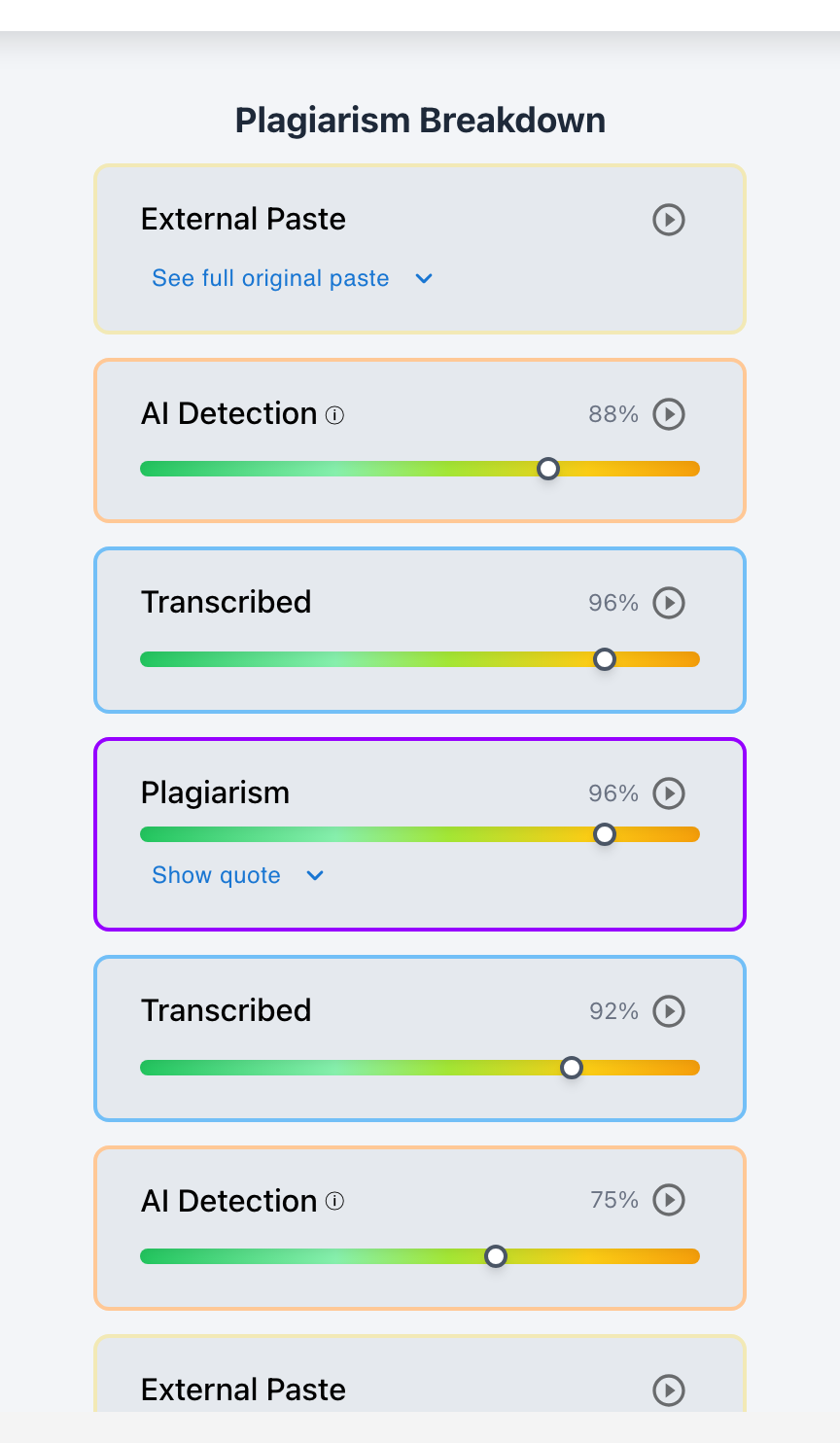
Yes. Google Docs revision history provides essential forensic evidence to help teachers detect AI writing—revealing whether an essay was drafted incrementally over multiple sessions with natural revisions or inserted in an instant wholesale paste from an external AI generator.
Google Docs is the most widely used word processor in K–12 and higher education. When an essay looks suspiciously sophisticated or triggers an AI detector score, the document's underlying version history is often the first place teachers look for ground truth. While native Google Docs version history stores raw edit snapshots, it lacks automated AI detection and cannot quantify active typing hours versus idle time. By pairing Google Docs with Checkmark Plagiarism's Writing History Engine, educators convert raw version logs into an accelerated 15-second video replay that proves authorship conclusively.
Below is a comprehensive guide on using Google Docs revision history to investigate AI writing.
Checkmark Plagiarism powers Google Docs process analysis by pairing essay writing playback with AI detection, plagiarism detection, autograding, and native Google Classroom integration.
The 4 Forensic Signals in Google Docs Revision History
1. Session Count & Chronology
Authentic student essays develop across 3–5 distinct sessions over several days. AI submissions typically show only 1 single session lasting under 5 minutes.
2. Wholesale Paste Blocks
In native Google Docs, expanding version snapshots reveals large green/purple blocks of text (800+ words) appearing between two consecutive 30-second intervals.
3. Lack of Character Deletions
Real human drafting shows thousands of deleted characters (15–30% backspaces). AI-generated submissions show zero deleted sentences or structural changes.
4. "Paste & Polish" Revision Patterns
Shows a complete essay pasted in snapshot 1, followed only by minor localized word adjustments in snapshot 2 to attempt to evade AI detectors.
Native Google Docs vs. Checkmark Writing Playback
While native Google Docs is useful, it has serious limitations that Checkmark solves:
- The Manual Snapshot Problem: Clicking through 50+ native Google Docs snapshots takes 10–15 minutes per essay. Checkmark compresses the entire history into a 15-second video replay.
- Active vs. Idle Time: Native Docs counts open tabs as "editing time." Checkmark calculates true active keystroke time, filtering out hours where the document was idle.
- Original Paste Preservation: Native Docs may overwrite pasted text after revisions. Checkmark archives the raw text payload at the exact millisecond of paste.
Read more in how Checkmark writing process analysis works.
Comparison: Authentic Drafting History vs. AI Generation in Google Docs
Authentic Student Google Doc (Genuine Effort)
- Document created 5 days before deadline.
- 4 distinct sessions showing outline → draft → final polish.
- 24% character deletions and moved paragraphs.
- Active typing duration: 4.3 hours.
AI-Generated Google Doc (Shortcut)
- Document created 20 minutes before deadline.
- 1 single session with 1 large text block inserted.
- <1% character deletions; zero restructuring.
- Active typing duration: 2.1 minutes.
A 5-Step Educator Protocol for Auditing Google Docs History
Google Docs History Audit Protocol:
- 1. Open the student's Google Doc submission in Google Classroom or Checkmark.
- 2. Review the creation date and total number of revision versions.
- 3. Open Checkmark Playback to watch the accelerated 15-second typing replay.
- 4. Verify that active typing hours match the paper's length (3+ hours for 1,500 words).
- 5. If a large paste block is identified, review the raw pasted text payload before student edits.
How Checkmark Plagiarism Powers Google Docs Auditing
Checkmark Plagiarism combines **AI detection, essay writing playback, static AI detection, plagiarism detection, autograding, and Canvas/Google Classroom integrations** to turn Google Docs revision history into actionable, undeniable proof of student authorship.
Frequently Asked Questions
How do I view revision history in Google Docs?
In Google Docs, click File → Version history → See version history. Checkmark automatically extracts this data and converts it into a visual video replay.
Can teachers see what was pasted into Google Docs?
Yes. Checkmark Playback captures every paste event, recording the exact timestamp, character count, and raw text payload inserted into the Google Doc.
What does a normal student writing history look like in Google Docs?
It shows multi-session drafting over several days, 15–30% character deletions, thinking pauses between paragraphs, and gradual word count growth.
What if a student writes an essay in Word and pastes it into Google Docs?
Ask the student to provide their original Word (.docx) file with version metadata, or require that future assignments be drafted directly in Google Docs.
Can students fake realistic Google Docs revision history?
Simulating hours of realistic typos, backspaces, and natural thinking pauses takes longer than actually writing the essay honestly.
How does Checkmark Plagiarism integrate with Google Classroom?
Checkmark connects directly to Google Classroom, automatically extracting Google Docs revision metadata and embedding 15-second video replays for every submission.
What is a normal student backspace rate?
Authentic student writing typically exhibits a 15% to 30% backspace/edit rate as thoughts are refined. AI copy-pastes show 0% edits.
Does Google Docs history protect students from false AI flags?
Yes. A rich multi-day revision history with hours of typing conclusively proves that an articulate student authored their paper personally.
Can Checkmark check for plagiarism and AI while analyzing Google Docs history?
Yes. Checkmark runs simultaneous AI detection, plagiarism database matching, writing playback, and autograding on Google Docs submissions.
Why is Checkmark Playback better than manually clicking Google Docs version history?
Because Checkmark calculates true active typing time, filters out idle hours, archives raw pasted text, and plays an accelerated 15-second video replay.
Document History Is the Definitive Proof of Authorship
Text on a screen can be generated in seconds, but the history of human composition cannot be forged. By pairing Google Docs revision history with Checkmark's writing playback engine, educators gain the clarity and certainty needed to evaluate writing with complete fairness.
Checkmark Plagiarism supports this comprehensive approach with AI detection, essay writing playback, static AI detection, plagiarism detection, autograding, and integrations with Canvas and Google Classroom.
See how Checkmark pairs Google Docs revision analysis with multi-signal playback to verify student authorship inside your LMS. View a sample report or request a demonstration.