
Yes. Checkmark Autograder provides seamless, real-time two-way Grade Passback via LTI 1.3—instantly transmitting finalized rubric scores, point totals, letter grades, and quote-anchored feedback comments directly into your Canvas, Google Classroom, Schoology, or Brightspace gradebook upon teacher approval.
One of the most frustrating aspects of evaluating essays is manual grade entry: having an evaluation in one software tool and having to re-type 130 scores and comments into your school's Learning Management System (LMS) gradebook. This repetitive data entry wastes valuable hours and introduces clerical errors. With Checkmark's Automated Grade Passback, the moment a teacher clicks "Approve," scores and detailed rubric feedback sync directly into the official LMS gradebook in real time.
Below is a comprehensive guide on how automated grade passback works across different LMS platforms.
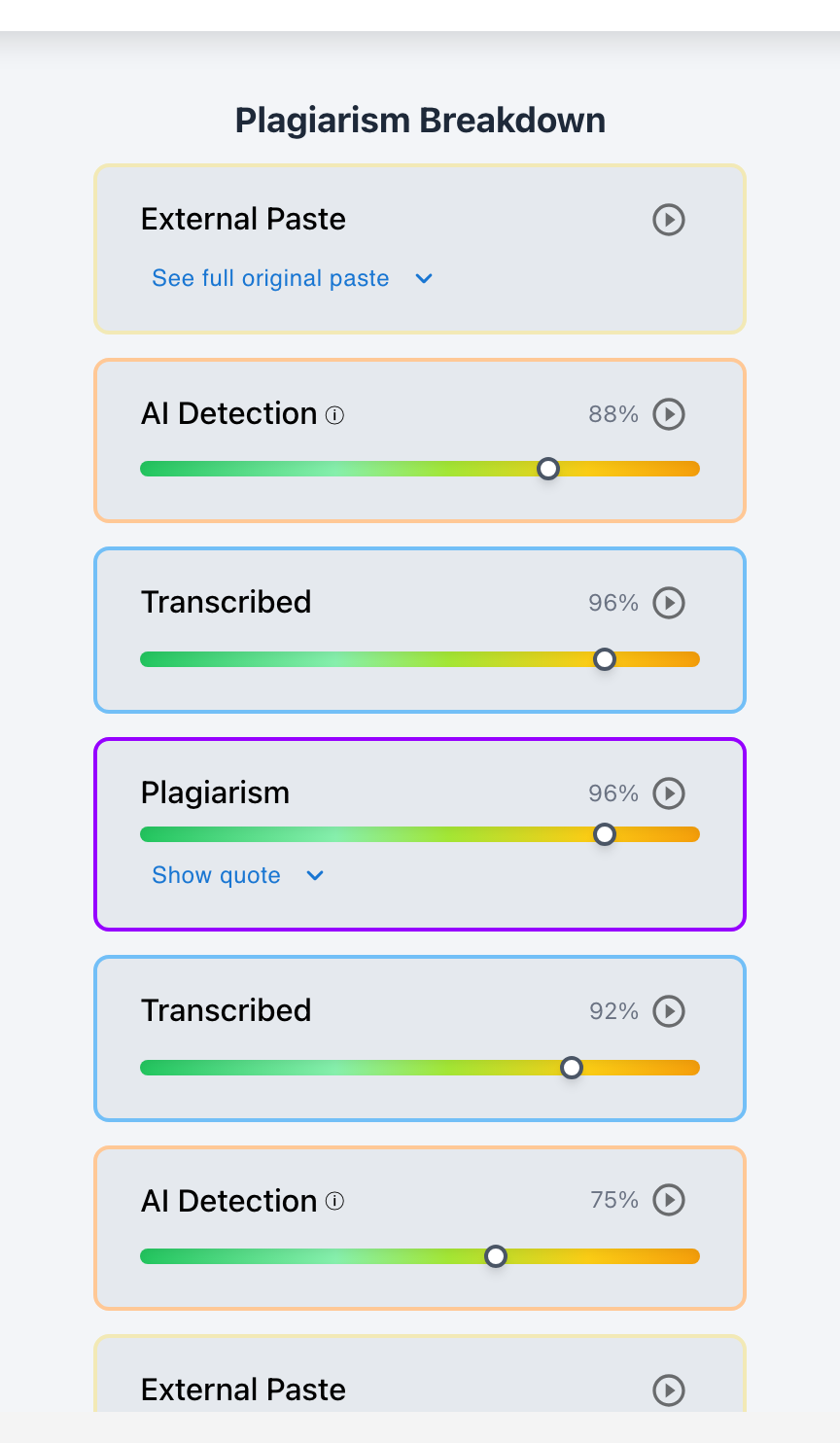
Checkmark Plagiarism powers grade passback by pairing autograding with essay writing playback, AI detection, plagiarism detection, and integrations with Canvas and Google Classroom.
The 4 Pillars of Checkmark's LMS Grade Passback
1. Two-Way Gradebook Sync
Passes approved numeric points, percentages, and letter grades directly into Canvas Gradebook or Google Classroom with zero manual typing.
2. Granular Rubric Level Passback
Populates individual rubric criterion ratings and point values inside SpeedGrader, preserving full diagnostic detail for students.
3. Formative Draft vs. Summative Handling
Supports ungraded diagnostic draft cycles (passing back feedback only) or formal summative evaluations (passing back official grades).
4. Secure LTI 1.3 Certified Connection
Utilizes 1EdTech LTI Advantage standards to guarantee enterprise data encryption, FERPA compliance, and roster synchronization.
How Grade Passback Works Across Major LMS Platforms
Checkmark's grade passback engine is engineered to support your school's existing tech stack seamlessly:
- Canvas LMS: Embeds directly into SpeedGrader. Pre-fills rubric criterion ratings, calculates final point totals, and inserts rich comment payloads with 1 click.
- Google Classroom: Syncs overall assignment grades and detailed student feedback summaries directly to the Google Classroom assignment stream.
- Schoology & Brightspace: Transmits standard LTI assignment scores directly into the course grade center with full gradebook column integration.
Read more in how Checkmark writing process analysis works.
Comparison: Manual Grade Entry vs. Checkmark Automated Passback
Manual Gradebook Entry (Tedious & Error-Prone)
- Manually re-typing 130 point totals and comments.
- Takes 45–60 minutes of clerical work per assignment.
- High risk of accidental clerical typos and misentries.
- Feedback often shortened to save time typing.
Checkmark Automated Passback (Instant & Accurate)
- 1-click passback directly from the grading view.
- Instant sync of points, letter grades, and rubric rows.
- Zero clerical errors or transposition mistakes.
- Full quote-anchored feedback transmitted to students.
A 5-Step Educator Protocol for LMS Grade Passback
Educator Passback Workflow Checklist:
- 1. Open the assignment evaluation queue inside Canvas SpeedGrader or Google Classroom.
- 2. Review the autograded rubric scores alongside the student's Essay Playback timeline.
- 3. Make any necessary score adjustments or comment additions in the draft view.
- 4. Click "Approve & Passback" on individual papers or select "Batch Sync All."
- 5. Verify that grades and feedback are immediately visible in your official LMS Gradebook.
How Checkmark Plagiarism Powers Automated Grade Sync
Checkmark Plagiarism combines **AI detection, essay writing playback, static AI detection, plagiarism detection, autograding, and Canvas/Google Classroom integrations** to eliminate administrative friction and streamline grading across all major LMS platforms.
Frequently Asked Questions
Can Checkmark send grades directly to Canvas Gradebook?
Yes. Checkmark connects via LTI 1.3 to transmit approved rubric ratings, total points, and feedback comments directly into the Canvas Gradebook.
Does grade passback work with Google Classroom?
Yes. Checkmark integrates with Google Classroom via Google Workspace APIs to sync draft and final grades directly to student rosters.
Can teachers approve grades before they are passed back?
Yes. Checkmark enforces a strict teacher-in-the-loop workflow: grades are only transmitted to the LMS gradebook when the teacher explicitly clicks approve.
Can I pass back feedback without affecting the student's grade (formative drafts)?
Yes. In formative draft mode, Checkmark passes back rich rubric feedback and revision goals without recording permanent point values in the gradebook.
What if I need to change a grade after passing it back?
You can update the grade at any time in Checkmark or directly in your LMS gradebook; changes will sync automatically.
How does Checkmark Plagiarism integrate with Canvas LMS?
Checkmark Autograder displays interactive rubric sliders, draft feedback previews, and 1-click grade passback directly inside Canvas SpeedGrader.
Does grade passback support weighted rubrics?
Yes. Checkmark automatically handles weighted criteria and calculates the correct final point percentage before passing it to the gradebook.
How much time does automated grade passback save?
Teachers save 45 to 60 minutes per assignment by eliminating manual grade and comment re-entry into the LMS gradebook.
Is student data secure during grade transmission?
Yes. Checkmark uses encrypted LTI Advantage and OAuth 2.0 protocols to guarantee FERPA compliance and data security during passback.
Why is native LMS grade passback better than standalone AI websites?
Because native passback keeps your entire grading workflow in one place, eliminates file downloading, and protects student privacy.
Eliminating Administrative Friction from Grading
Teachers should spend their time teaching, not doing repetitive data entry. By automating grade and feedback passback directly into your school's LMS, Checkmark Autograder gives educators hours of their week back while ensuring seamless, accurate gradebook synchronization.
Checkmark Plagiarism supports this comprehensive approach with AI detection, essay writing playback, static AI detection, plagiarism detection, autograding, and integrations with Canvas and Google Classroom.
See how Checkmark pairs automated grade passback with multi-signal detection to streamline essay grading inside your LMS. View a sample report or request a demonstration.