
Before You Start
Your Canvas administrator turns on Checkmark as a Document Processor once for your school. After that, any teacher can add it to their assignments.
If Checkmark Plagiarism isn't in the list in step 3, ask your Canvas administrator to turn it on, or email support@checkmarkplagiarism.com and we'll walk them through it. Setting up Checkmark in Canvas for the first time? Start with the Canvas Integration Setup Guide.
Watch: Checkmark in Canvas in One Minute
How to set it up, what students do, and where to find every report.
Turn On Checkmark for an Assignment
Four clicks, once per assignment. Do it before students start submitting so every submission gets a report.
Open the Assignment and Click Edit
Any assignment students submit online
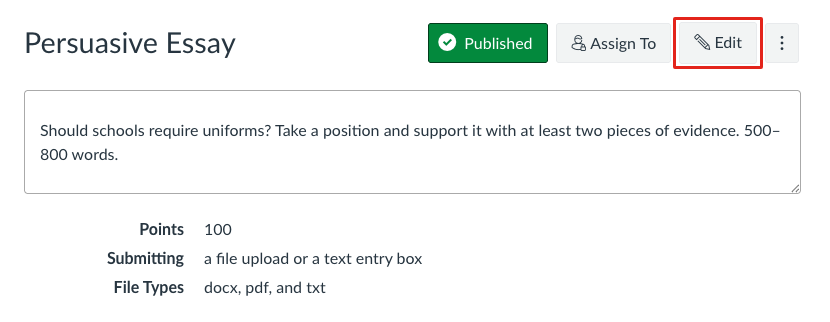
- • In your course, go to Assignments and open the assignment.
- • Click Edit at the top right.
Click “Add Document Processing App”
Near the bottom of the edit page, just above Save
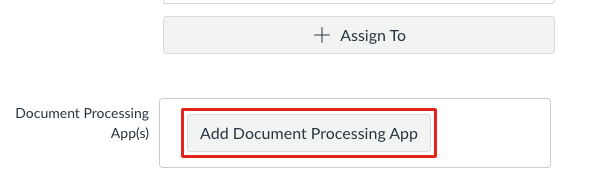
- • Scroll down to Document Processing App(s).
- • Click Add Document Processing App.
Choose Checkmark Plagiarism
Pick it from the list Canvas shows
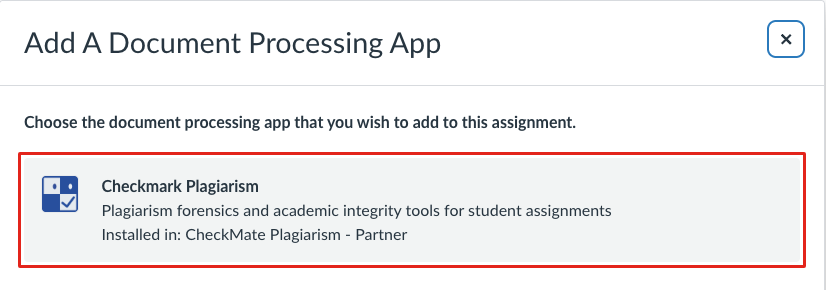
- • Click Checkmark Plagiarism.
- • Not in the list? Your Canvas administrator needs to turn it on first (see Before You Start).
Click Save
That's the whole setup
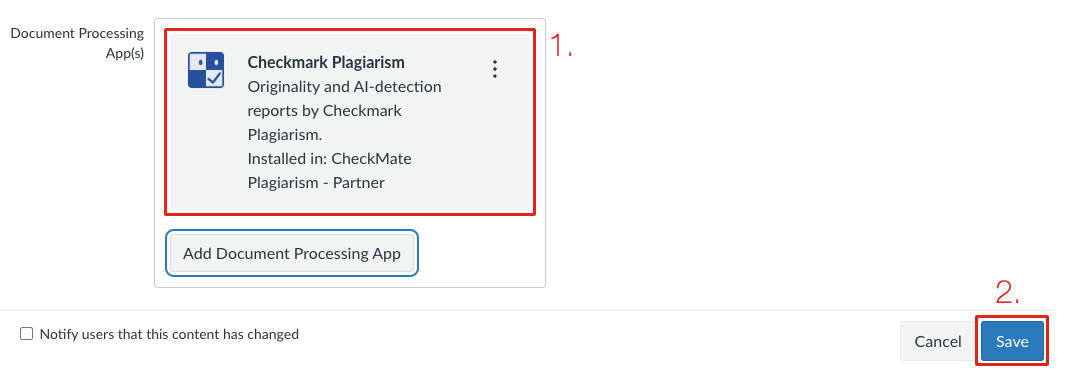
- • 1. Checkmark Plagiarism now appears under Document Processing App(s).
- • 2. Click Save.
You're Done
From now on, Checkmark automatically checks every file and text entry students submit to this assignment, and puts the report in SpeedGrader.
Students Submit the Usual Canvas Way
Nothing new for students to learn. Checkmark checks file uploads and text entries automatically.
File Upload
Students upload their essay and click Submit Assignment.
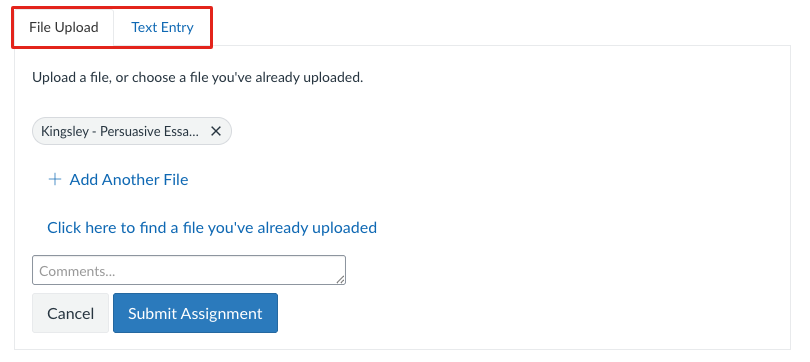
- • Word (.docx), PDF, and plain-text (.txt) files are checked.
- • A PDF needs real text in it. A scanned picture of a page can't be read.
Text Entry
Essays typed into Canvas's own text box are checked too.
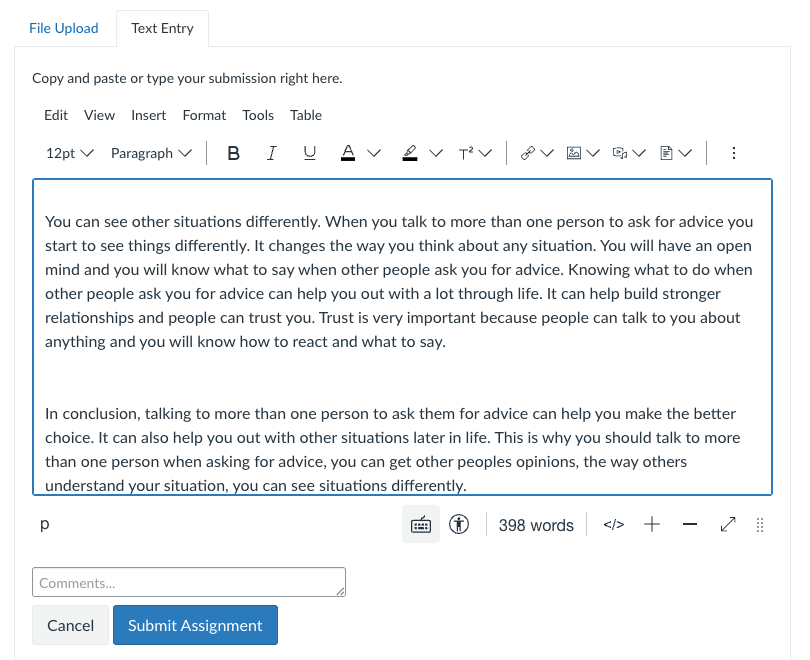
- • Works for any assignment that allows Text Entry.
- • Canvas doesn't record how the text was written, so the report's Pasted and Transcribed fields show “—”.
Where to Find Reports
Reports usually arrive within a minute or two of a student submitting.
Open SpeedGrader™
The same way you always grade
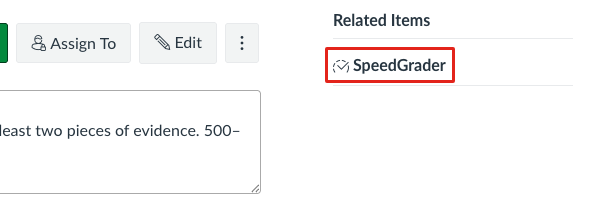
- • On the assignment page, click SpeedGrader under Related Items.
- • Or open it from the Gradebook as usual.
Find the Checkmark Card
In the right-hand panel, next to the student's work
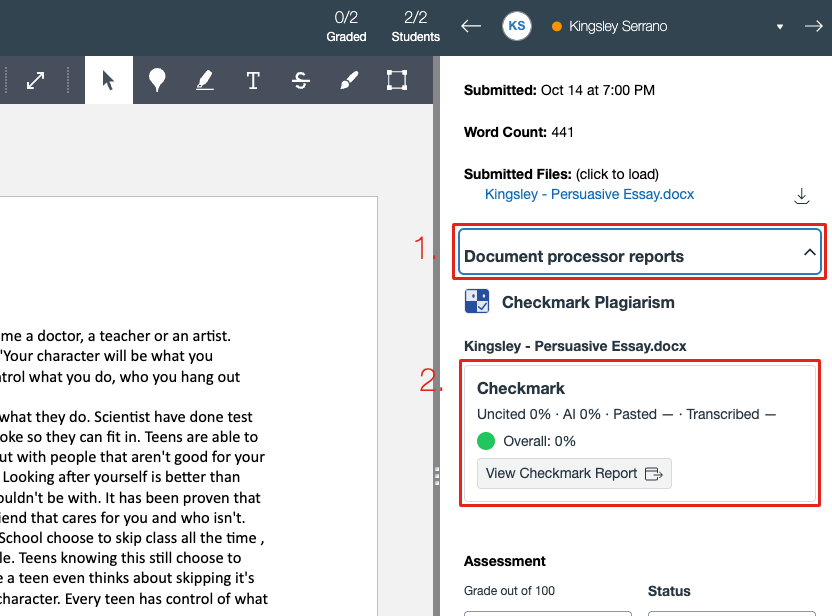
- • 1. Look for Document processor reports.
- • 2. Checkmark's card shows the scores for that submission. Each file gets its own card.
Reading the Card
What each number means, and what the colored dot tells you at a glance.
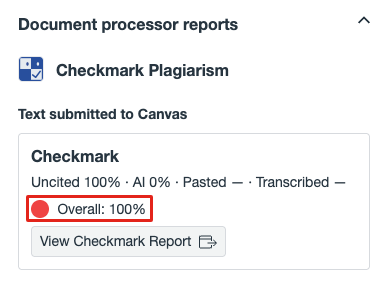
- Uncited
- Text that matches a source without a citation.
- AI
- Text that reads as AI-generated.
- Pasted and Transcribed
- Measured from the writing history, so they only appear for essays written in Checkmark. Files and Canvas text entries show “—”.
- Overall and the dot
- Everything Checkmark flagged, combined. green under 20%, amber from 20% to 50%, and red above 50%.
Open the Full Report
Click View Checkmark Report on the card
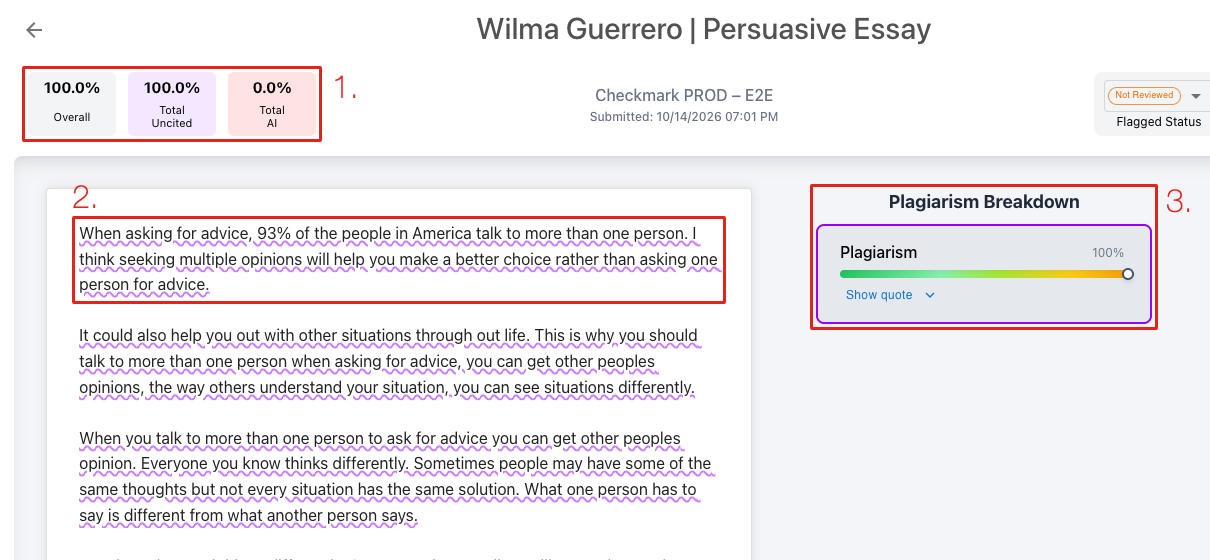
- • 1. The score tiles: Overall, Uncited, and AI.
- • 2. Matched text is underlined in the essay.
- • 3. The breakdown. Show quote shows the source text it matched.
- • For a full tour, see Reading the Checkmark Report.
See Every Submission on the Assignment Page
Scroll down on the assignment page
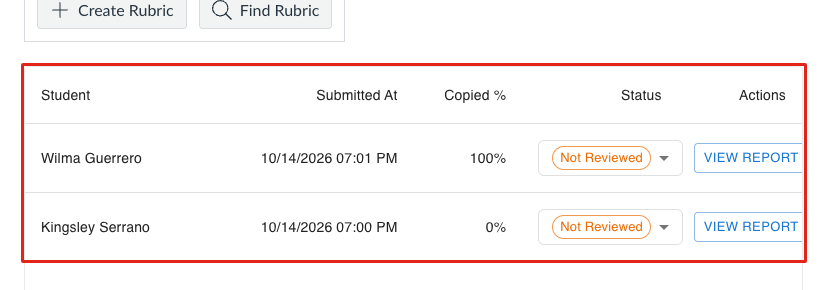
- • Every student who submitted, their copied percentage, and a View Report button.
- • Use the Status menu to mark a submission Flagged, Not Flagged, or Resolved.
Forgot to Turn It On for an Assignment?
Checkmark reminds you. On an assignment without it, the Checkmark panel shows one line with a link back to this guide.
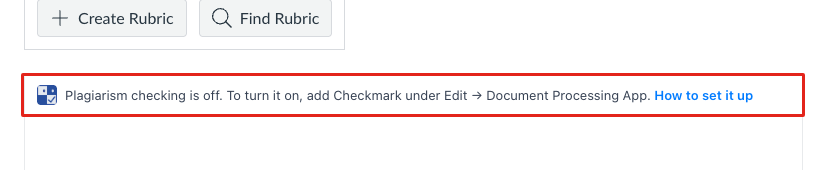
Follow Phase 1 to turn it on. Only submissions made after you save get a report in SpeedGrader.
Frequently Asked Questions
Common questions about Checkmark as a Canvas Document Processor.
Which files does Checkmark check?
Do students see the report?
How long does a report take?
What happens when a student resubmits?
I don't see Checkmark Plagiarism in the list.
How do I turn it off for an assignment?
Need Help?
Questions about the Document Processor? Our support team is here to help.