
Before You Start
You'll work in two places: your Checkmark admin dashboard and Buzz. You need a Checkmark admin account for your organization, and Buzz domain admin rights on the domain you want covered. No Checkmark admin account yet? Email support@checkmarkplagiarism.com.
- • It takes about 10 minutes.
- • A stream covers its domain and everything below it. Put it on your root domain for every school, or on one district for just its schools.
- • Checkmark never edits a Buzz course, item or question.
Watch: Buzz Data Streams in 45 Seconds
Every step, in Checkmark and in Buzz.
Turn On Buzz Data Streams
In your Checkmark admin dashboard.
Show the Buzz Data Streams page
Settings › Buzz Data Streams
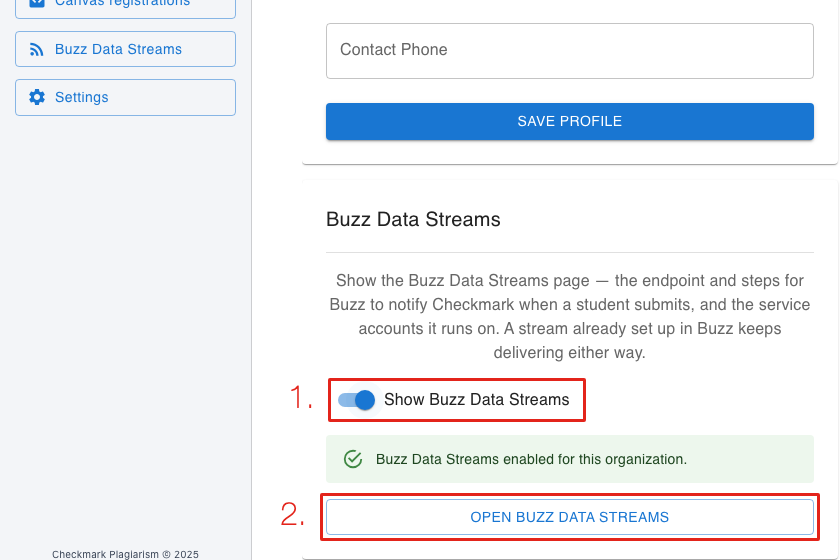
- • 1. Switch on Show Buzz Data Streams.
- • 2. Click Open Buzz Data Streams. It's in the sidebar from now on too.
Create a Service Account in Buzz
A Buzz user that Checkmark signs in as to read submissions and post results.
Create a user for Checkmark
Admin › Users › +
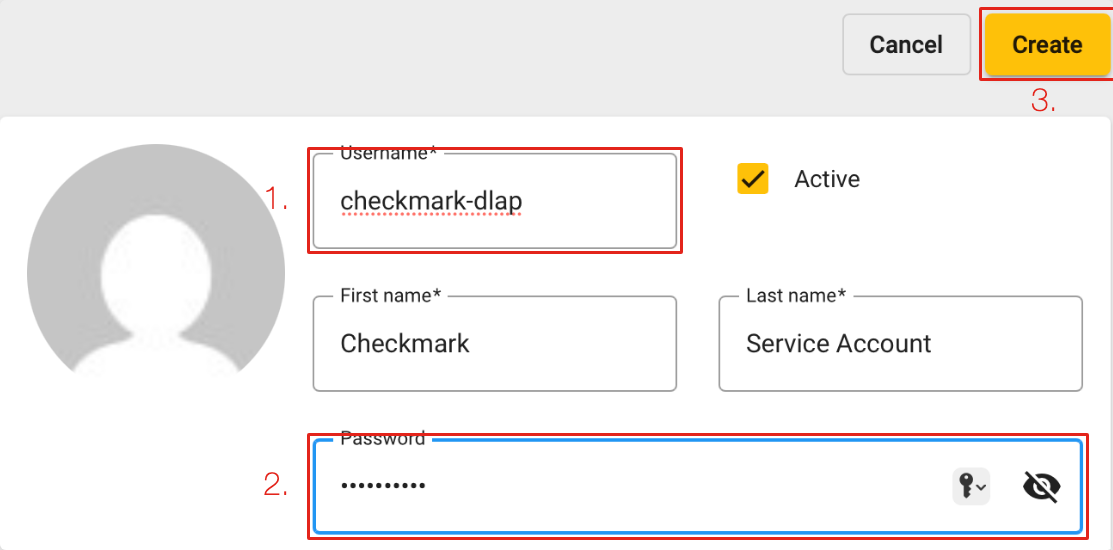
- • 1. A username such as checkmark-dlap. Leave Active ticked.
- • 2. A strong password. You'll enter it in Checkmark in step 4.
- • 3. Click Create.
Give it these permissions
The user › Permissions › +
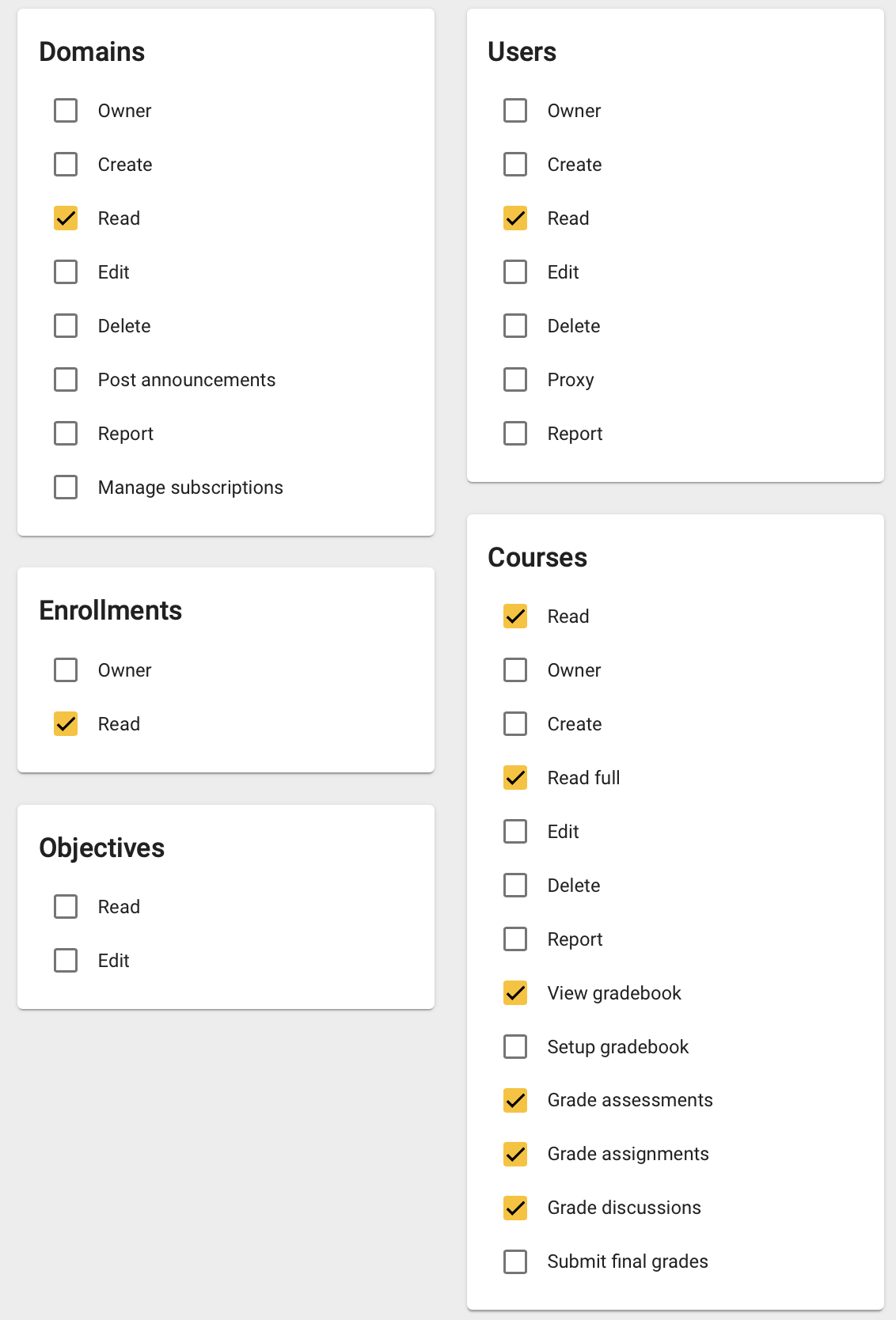
- • Domains, Users and Enrollments: Read.
- • Courses: Read, Read full, View gradebook, Grade assessments, Grade assignments, Grade discussions.
- • Leave everything else unticked. The account never needs Create, Edit, Delete, Owner or Proxy.
- • The gradebook and grading rights are what let Checkmark post results back to Buzz.
Connect It and Get Your URL
Back in Checkmark, on the Buzz Data Streams page.
Add the service account
Buzz Service Accounts › Add an account
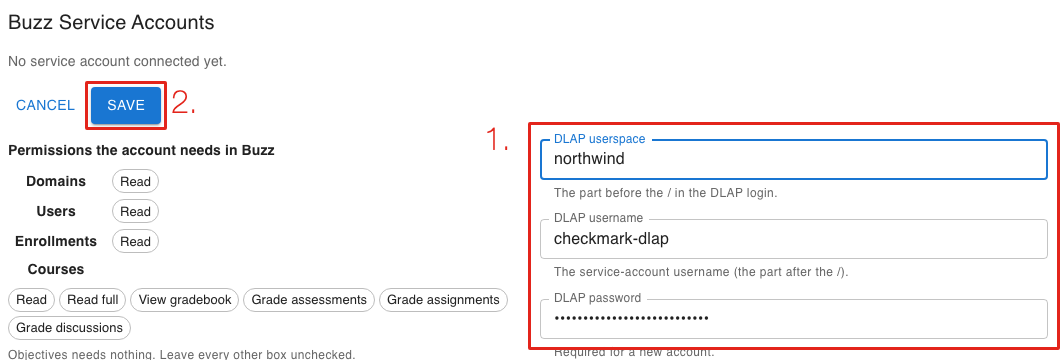
- • 1. DLAP userspace (the part before the / when you sign in to Buzz), the username and the password from step 2.
- • 2. Click Save, then Test on the saved account to check the connection.
Add an endpoint and copy its URL
Endpoints › Add an endpoint
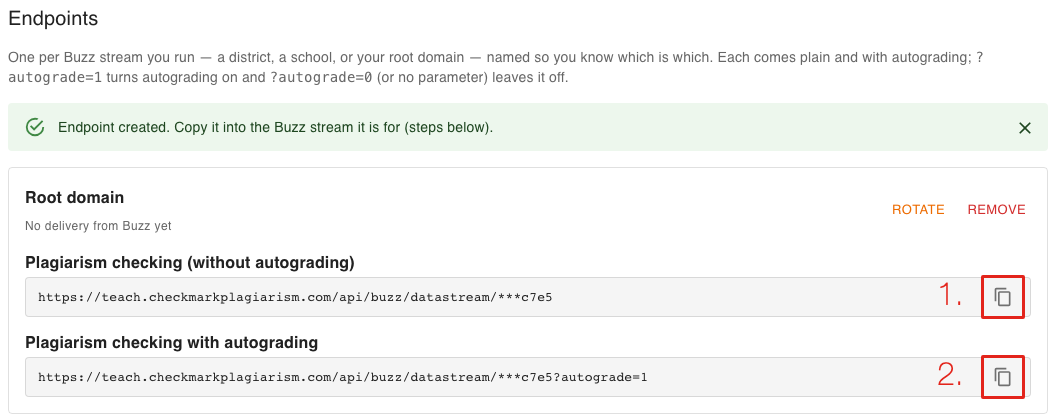
- • Name it after the Buzz stream it's for (say, Root domain) and click Save.
- • 1. Copy the plain URL for plagiarism, AI and writing checks, or 2. the autograding URL to also grade each essay with its rubric and post the scores and feedback to Buzz.
- • One endpoint per Buzz stream you run, so you can tell them apart later.
Add the Data Stream in Buzz
On the highest domain you want covered.
Fill in the stream
Data streams › Add stream
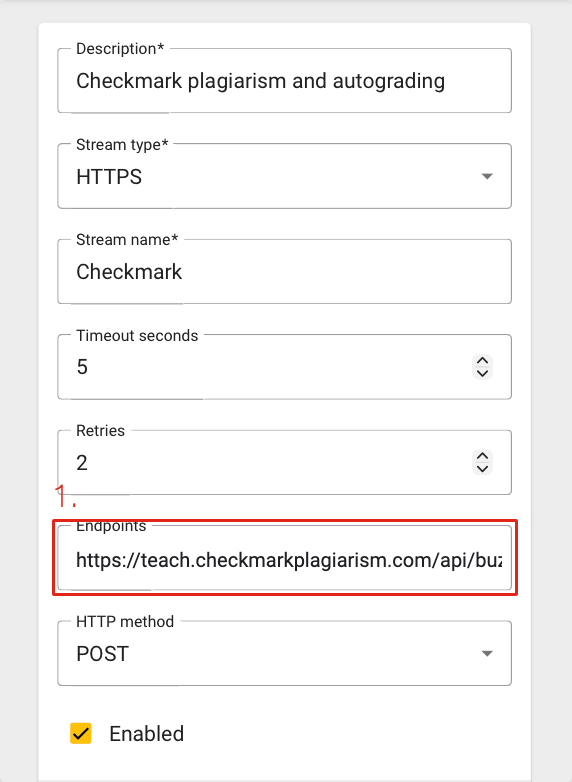
- • Stream type: HTTPS. Timeout seconds: 5. Retries: 2.
- • 1. Endpoints: paste the URL from step 5.
- • HTTP method: POST. Enabled: ticked.
- • Description and Stream name: anything you like.
Add two filters
Add filter, twice
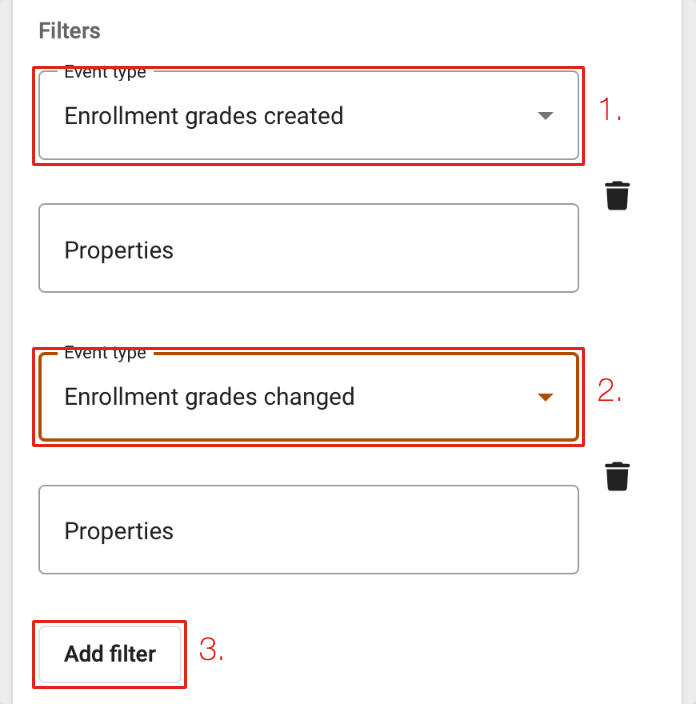
- • 3. Click Add filter twice.
- • 1. First filter, Event type: Enrollment grades created.
- • 2. Second filter, Event type: Enrollment grades changed.
- • Leave Properties empty in both. A name typed there strips the submission data, and with no event-type filter Buzz sends every event it has.
Last Step: Test, Then Save
Test sends one event to Checkmark. Save is refused if Checkmark can't be reached. From then on, every essay submitted in that domain and below is checked.
When a report is ready, Checkmark posts a report card in the student's submission messages in Buzz, one per essay question, linking to the full report. Teachers open the same link from the grader. See the Buzz student guide for what students see.