
Two Kinds of Questions
Some Buzz questions have a Checkmark writing box inside them. Others are regular Buzz essay questions. Both are checked, and the report reaches you in a different place for each.
Write in the Box, Then Submit
The box has its own toolbar (bold, lists, images, video, voice and Google Drive). Your work saves as you type.
Write Your Answer in the Checkmark Box
Then click Submit all answers at the bottom
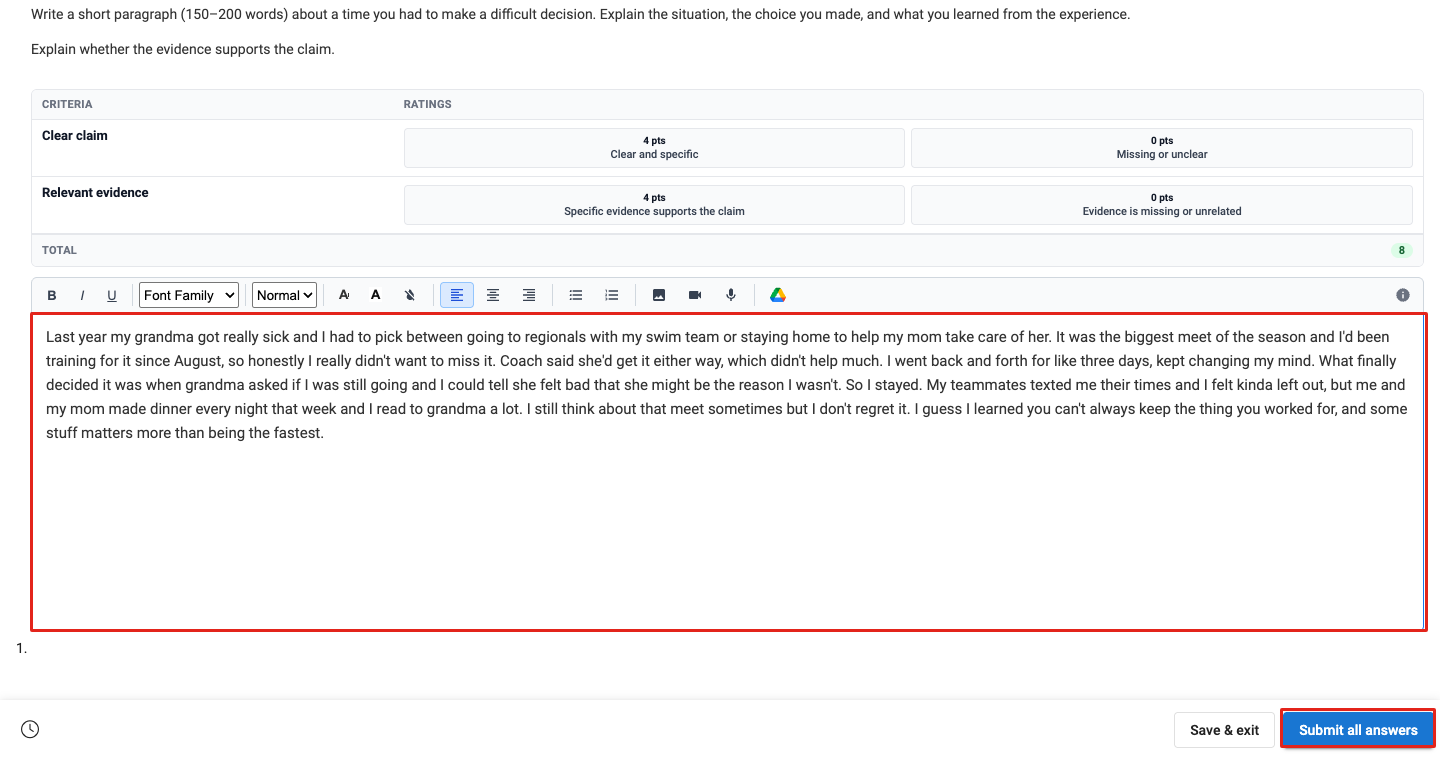
The prompt and rubric are at the top. Write in the outlined box, then click Submit all answers and confirm with Submit.
Wait a Few Seconds
It updates on its own

“Analyzing submission…” usually turns into your report in about 10 seconds.
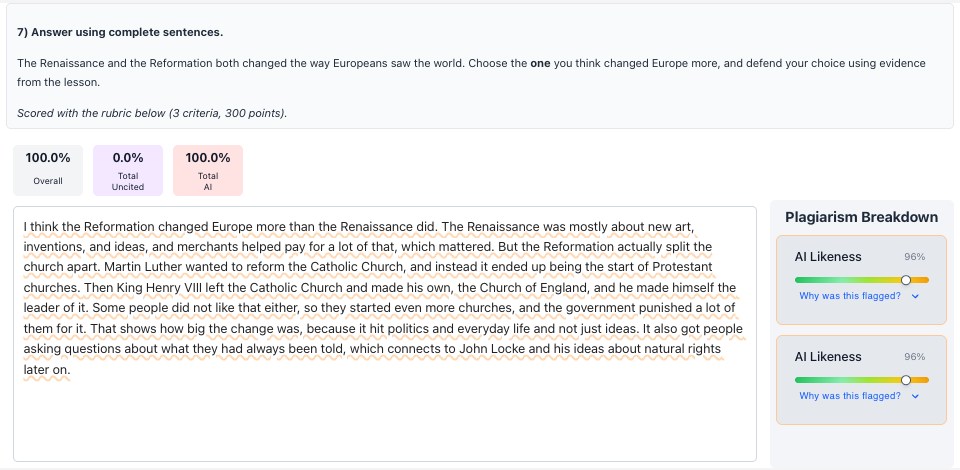
See Your Report in the Question
Open the question again any time
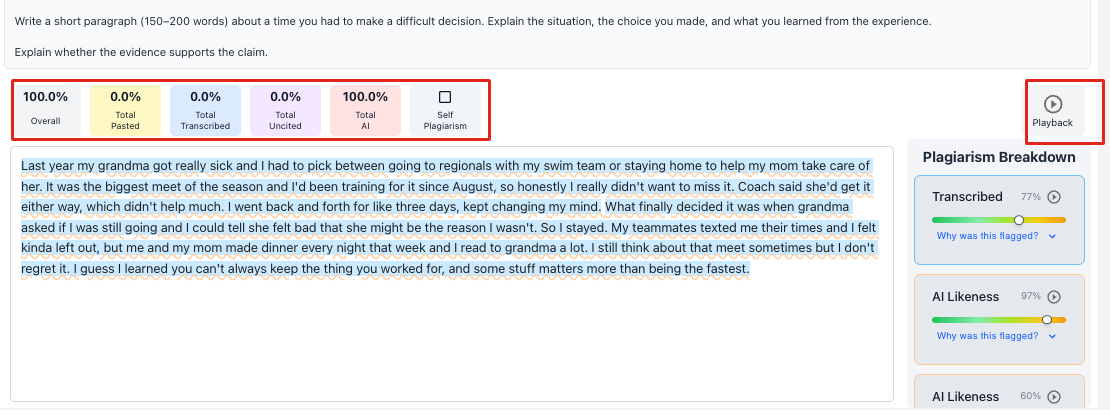
The scores are outlined on the left. Playback (right) replays how you wrote it.
Answer and Submit as Usual
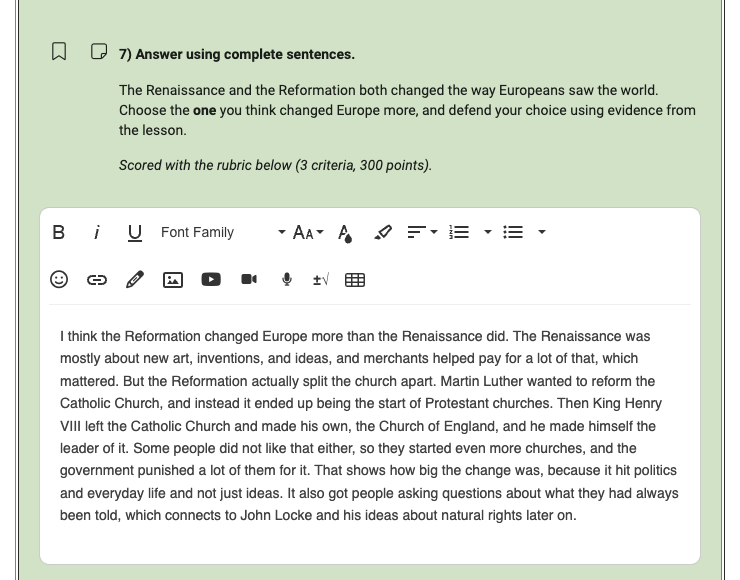
There's no Checkmark box on these. Checkmark reads your answer after you submit.
Answer the Essay
Then Review › Submit all answers
Find the Checkmark Message
Your submission › View grade details › Messages
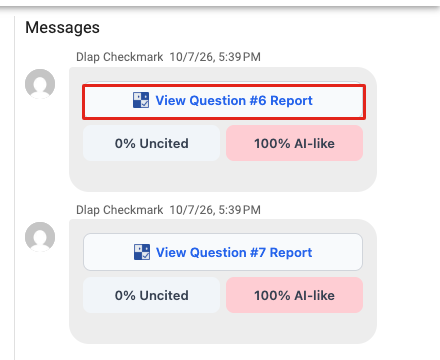
One card per essay question, with your uncited and AI-like percentages. It usually appears within a minute or two.
Open the Report
Click View Question Report
Frequently Asked Questions
My report hasn't shown up.
Can I retake the question?
The image, video or Google Drive button gives me a link.
Do I need a Checkmark account?
Still Stuck?
Ask your teacher first. For technical problems, we're here too.