
When a student submits an essay, a teacher usually has to assemble the story from scraps: a similarity score from one tool, an AI percentage from another, a gut feeling about whether the writing sounds like the student, and - if they are lucky - a peek at the document’s version history. Checkmark’s position has always been that these are not four separate investigations. They are four views of the same submission, and they belong in one report.
This post walks through that report, section by section, using our public example report. Everything shown here is the real product - you can open the interactive example and click along.
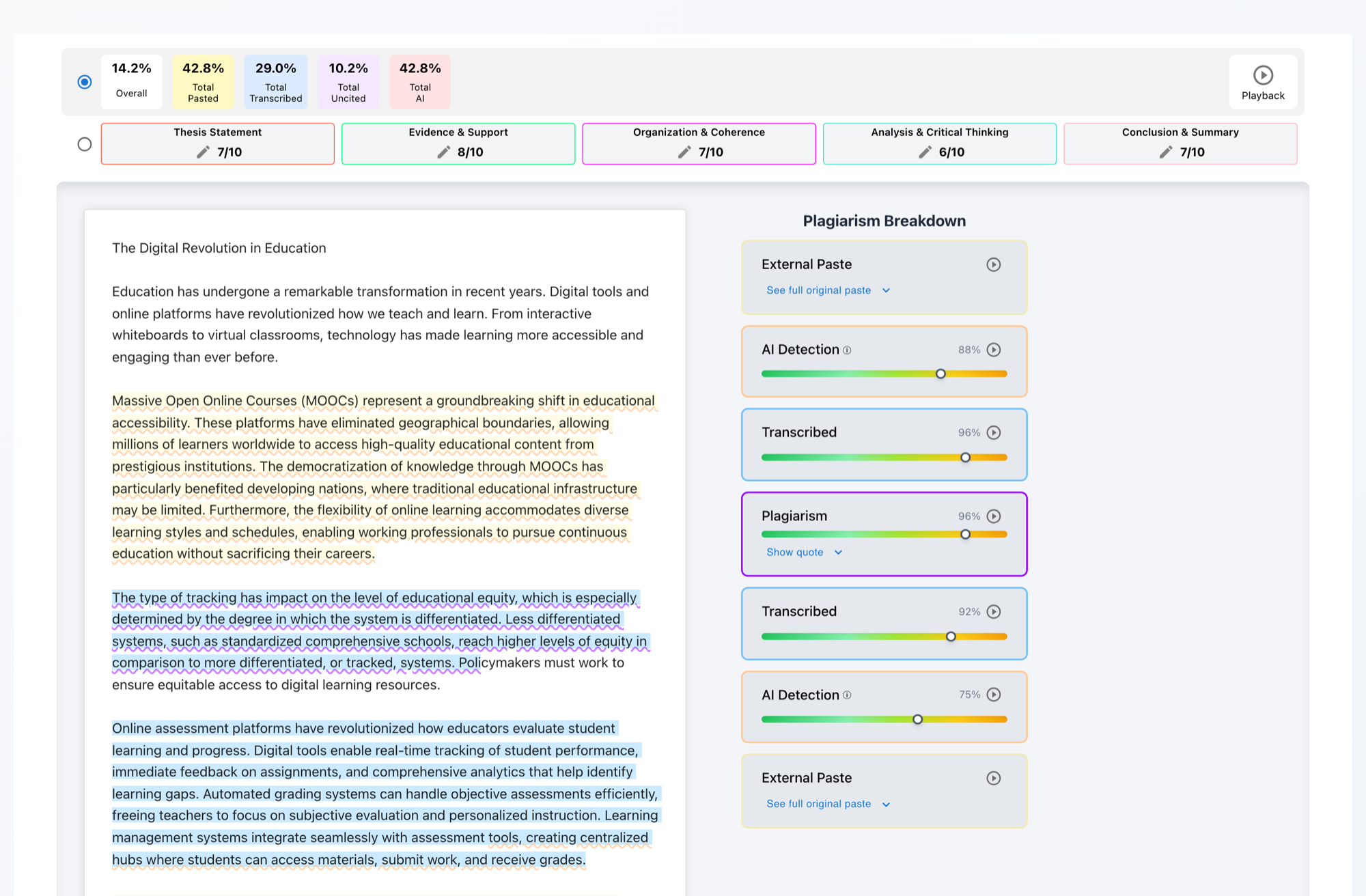
The tiles: a one-glance summary
The top of every report shows an Overall score and four totals:
- Pasted - content pasted into the document from outside it, captured as it happened.
- Transcribed - text typed while copying from another source: steady, linear, and unlike natural drafting.
- Uncited - passages that lean on a source without citing it.
- AI - text whose patterns resemble AI generation rather than human drafting.

Two details matter here. First, the four totals are kept separate on purpose - a 40% pasted essay and a 40% AI essay are different problems with different conversations attached. Second, when a submission is too short for a detector to run reliably, its tile reads N/A rather than reporting a number we would not stand behind.
Highlights and evidence cards, linked both ways
Below the tiles, the essay itself is displayed with each finding highlighted in place - pasted text, transcription, uncited references, and AI-flagged passages each get their own style. The right-hand sidebar, the Plagiarism Breakdown, holds one card per finding. Click a highlight and its card scrolls into view; click a card and the essay scrolls to the passage. Evidence stays attached to context, which is what makes it usable in a conversation with a student or a parent.
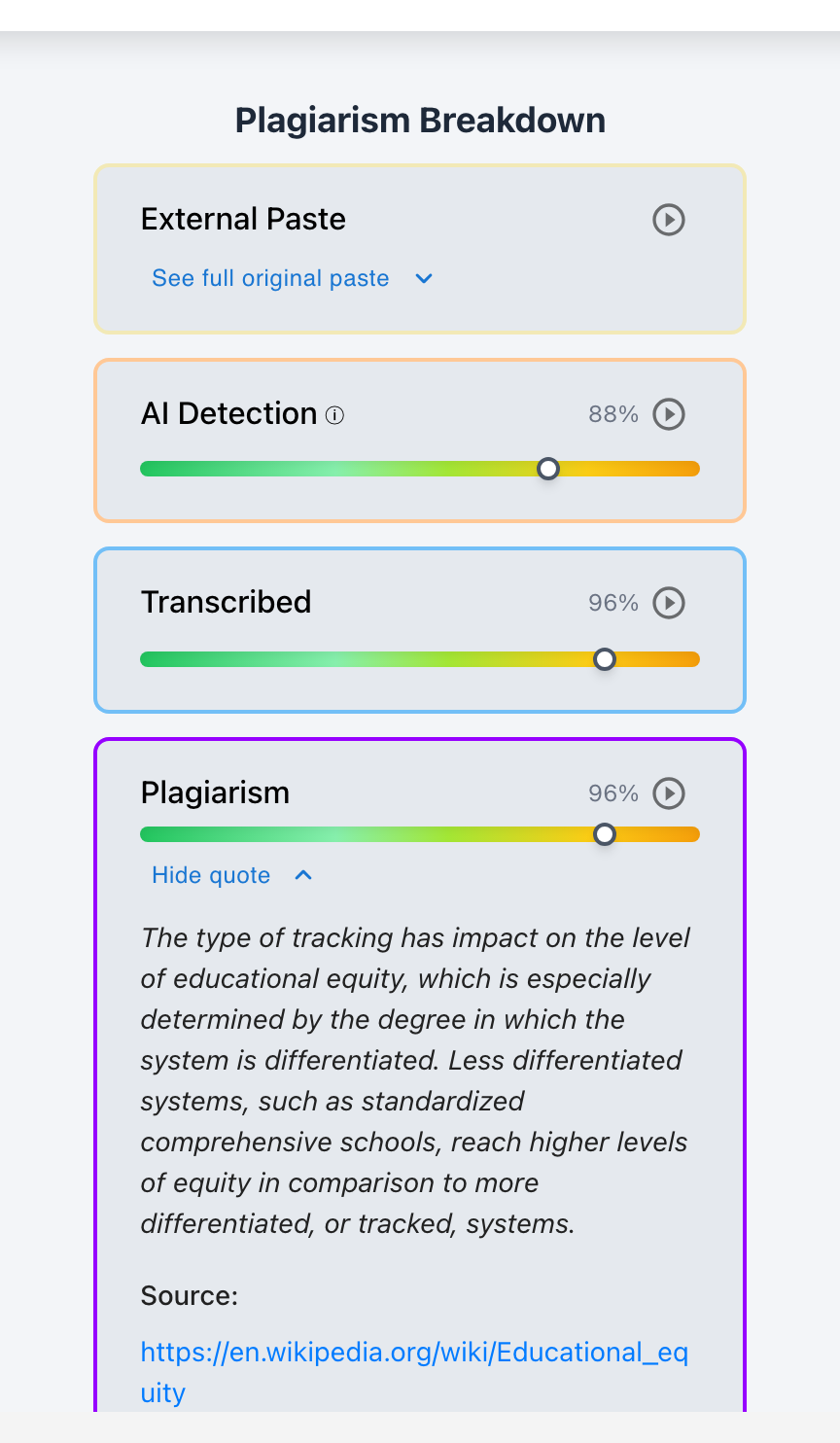
Plagiarism cards show their sources
Expand Show quote on a plagiarism card and you get the matched passage in full, the similarity score for that specific match, and a link to the source. When the matching source is another student’s work rather than a web page, the card says so plainly.
Paste cards keep the receipt
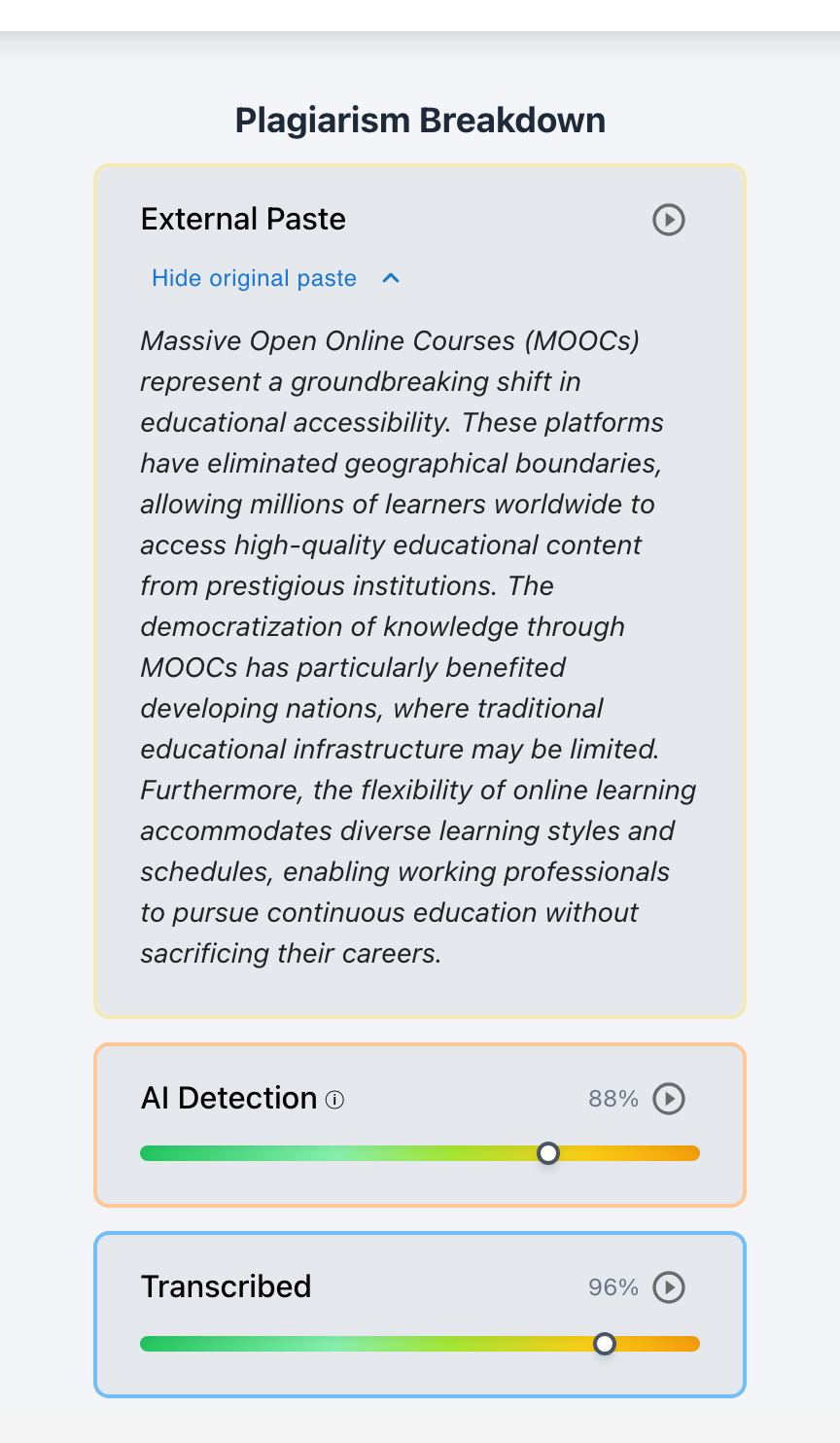
External Paste cards record when content entered the document in one jump - and they preserve the complete original pasted text. A student can rework every sentence afterward; the card still shows exactly what arrived and when. Each paste card also carries a play button that rewinds the report’s Playback to just before the paste landed, so you can watch it happen in context.
Playback: the writing session, replayed
The Playback button at the top of the report opens a player that re-types the essay in front of you - pauses, deletions, rewrites, and pastes included - at anywhere from 1x to 8x speed, with a scrubber for jumping straight to the moment that matters. Process data comes from Google Docs revision histories, from typed-in essay editors in Canvas and Buzz, and from Word documents written with Checkmark’s editor tooling. It is the part of the report no paraphrasing tool can launder, and we have written before about why that matters more every year.
The grading view: draft grades, not final ones
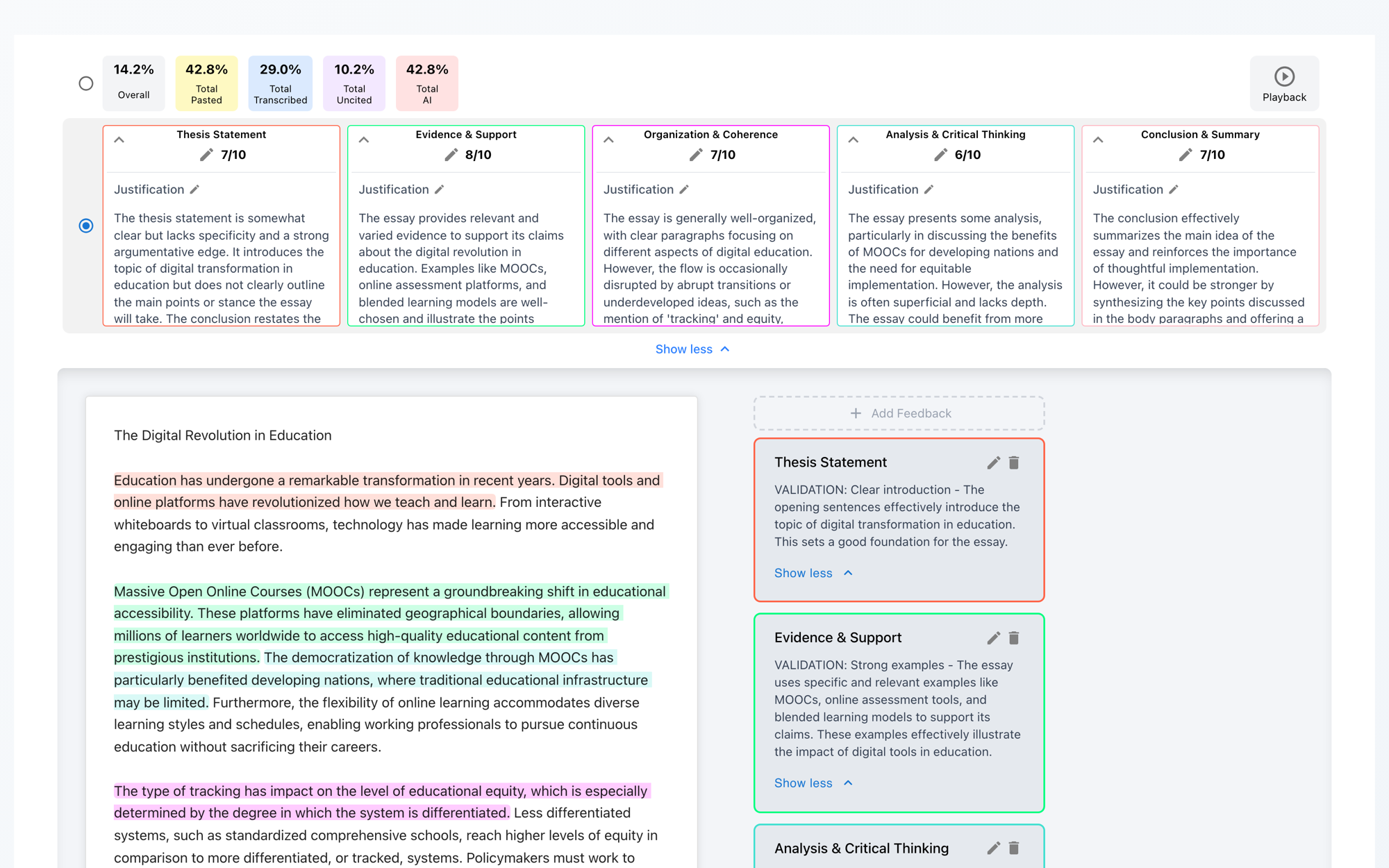
The report’s second row of tiles belongs to the autograder. If the assignment has a rubric attached, every submission arrives with per-criterion scores, a written justification for each, and feedback items anchored to specific quotes in the essay. Teachers edit any of it inline, add their own feedback by selecting text, and nothing is visible to students until the teacher publishes. On Canvas, Buzz, and Google Classroom assignments, publishing pushes the grade back into the LMS gradebook.
Why one report instead of four tools
The integrity conversation goes better when the evidence agrees. An AI flag alone is an accusation waiting for a rebuttal; an AI flag on a passage that also arrived as a single paste, in a session with no drafting, is a picture. In the other direction, a visible history of authentic drafting is the strongest protection an honest student can have against a false positive - and it lives in the same report.
If you want the deeper dive on any piece, we have a service page for each: plagiarism detection, AI detection, writing process analysis, and the autograder. Or skip the reading and run an essay through the live demo - the report you get back is the one described above.